Please kindly check the resolutions:
Method 1:
1. Delete the hosts file inside the C:\Windows\System32\drivers\etc folder.
2. Check if there is any security/antivirus software installed on the computer.
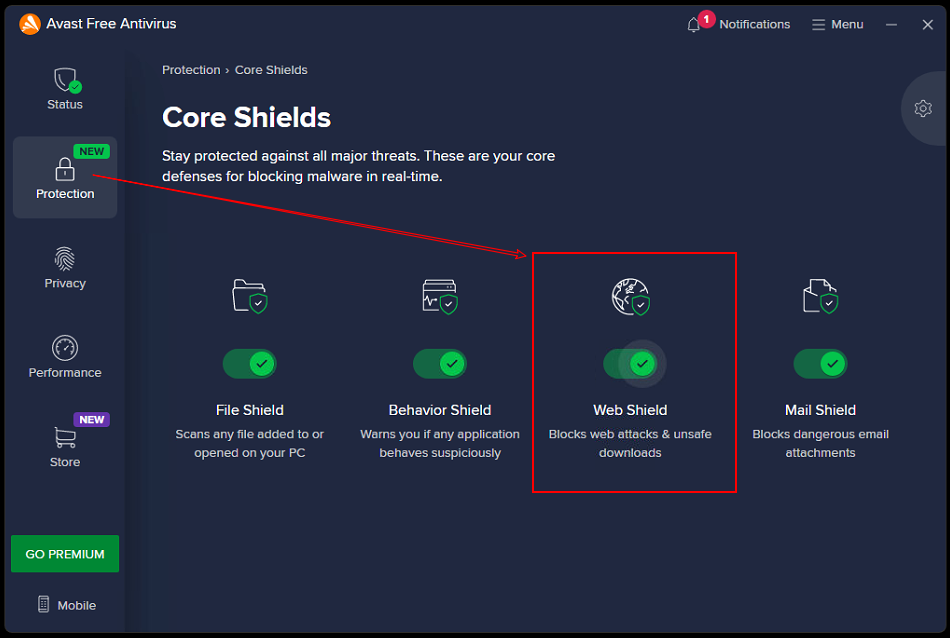
If installed, please turn off/disable the web protection and network download restrictions.
For Avast Free Antivirus,turn off Web Shield.
Method 2:
Switch the network by changing to another network or opening a personal hotspot in the phone settings,
Was This Helpful?
Thanks for your feedback.
Can you tell us what didn't work for you?
Email address is optional. Leave it blank if you do not need follow-up.
Feedback sent!