You can pause on a frame of your video and take a high quality snapshot using the camera icon under the video preview.
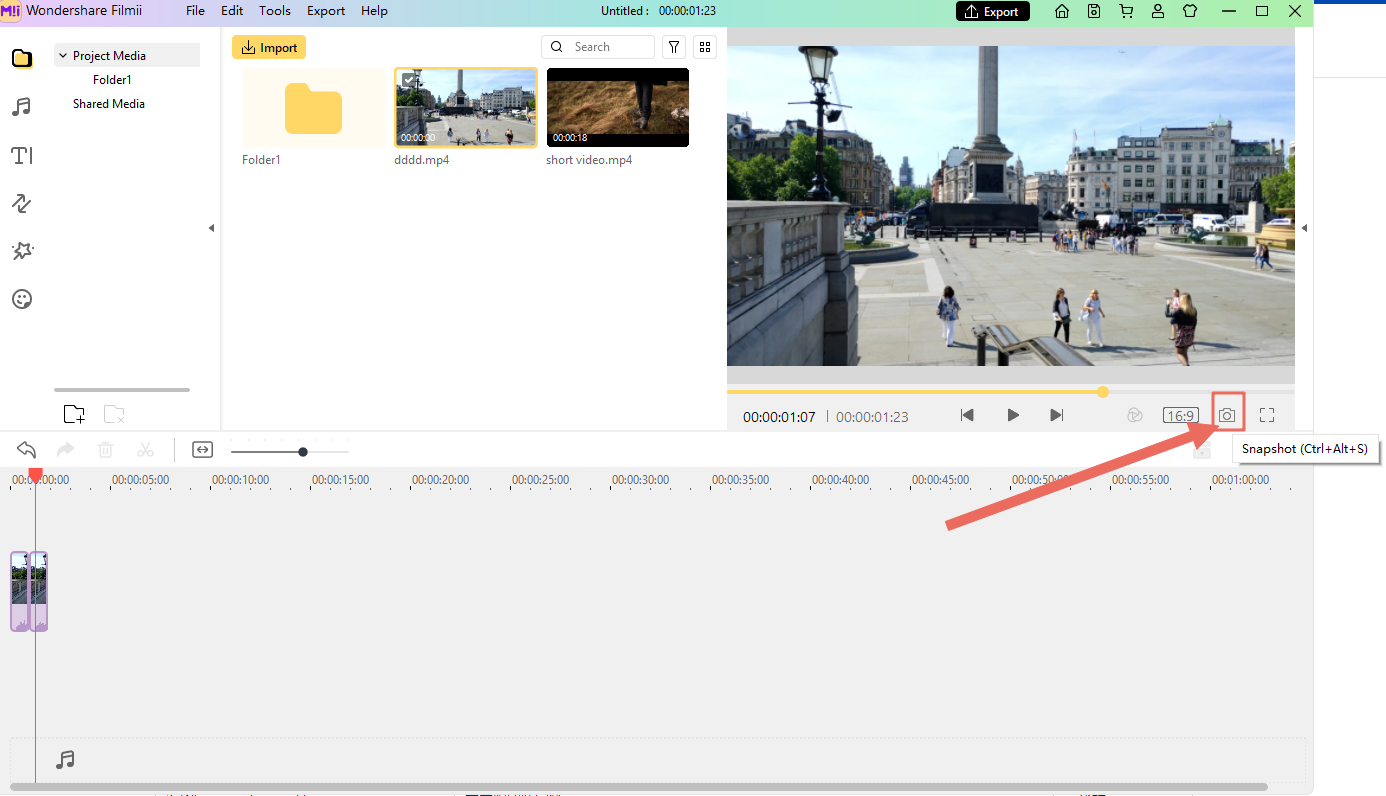
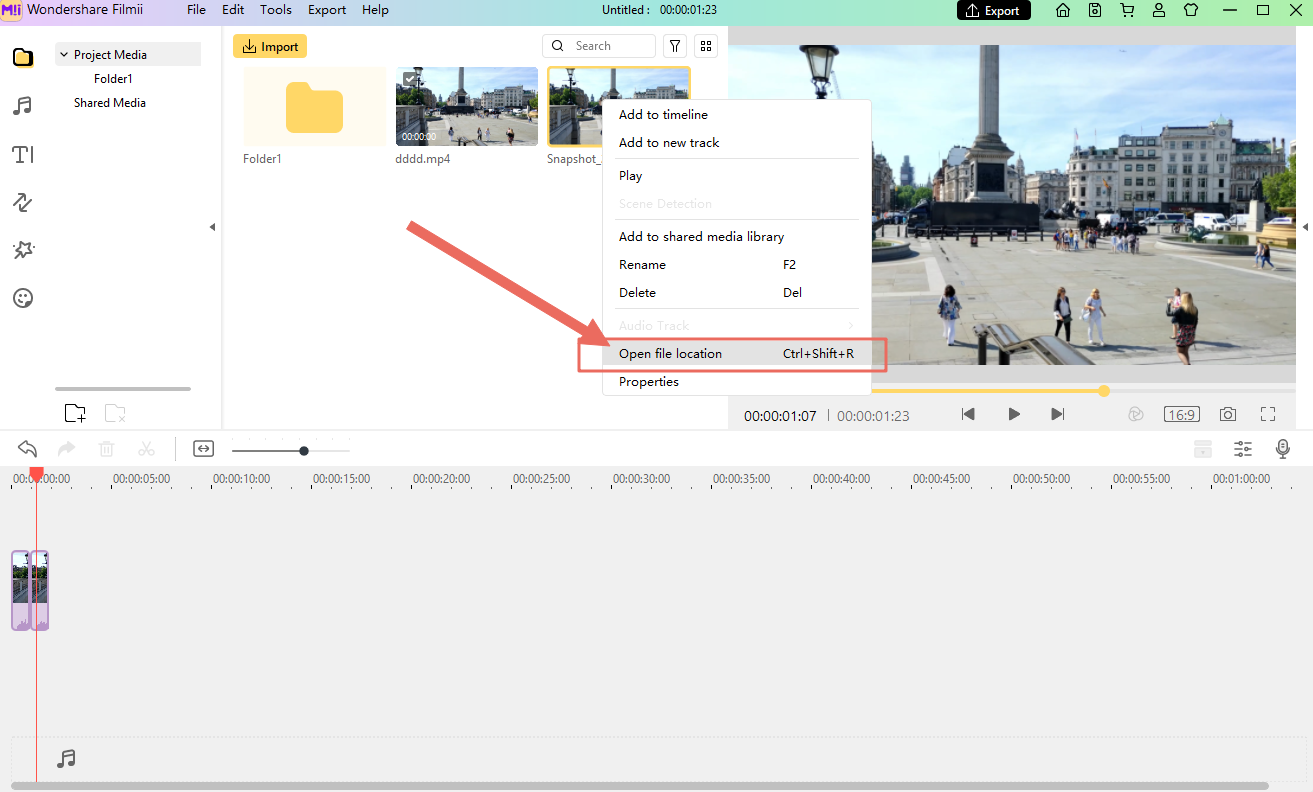
Your snapshot will be automatically added to your Project Media. It will also be saved locally on your computer. To find where it is saved, right click on the snapshot in your Project Media and choose open file location.
Was This Helpful?
Thanks for your feedback.
Can you tell us what didn't work for you?
Email address is optional. Leave it blank if you do not need follow-up.
Feedback sent!