To separate an uploaded song into voiceover and instrumental using Media.io, you can use the Media.io studio feature. Here's how:
1. Open Media.io and navigate to the studio tool. You can access it: https://www.media.io/studio/project/edit/
2. Upload the song you want to process.
3. Select vocal removal-> preserve Instrumental or preserve Vocals;
4. The tool will automatically separate the audio into voiceover and instrumental tracks.
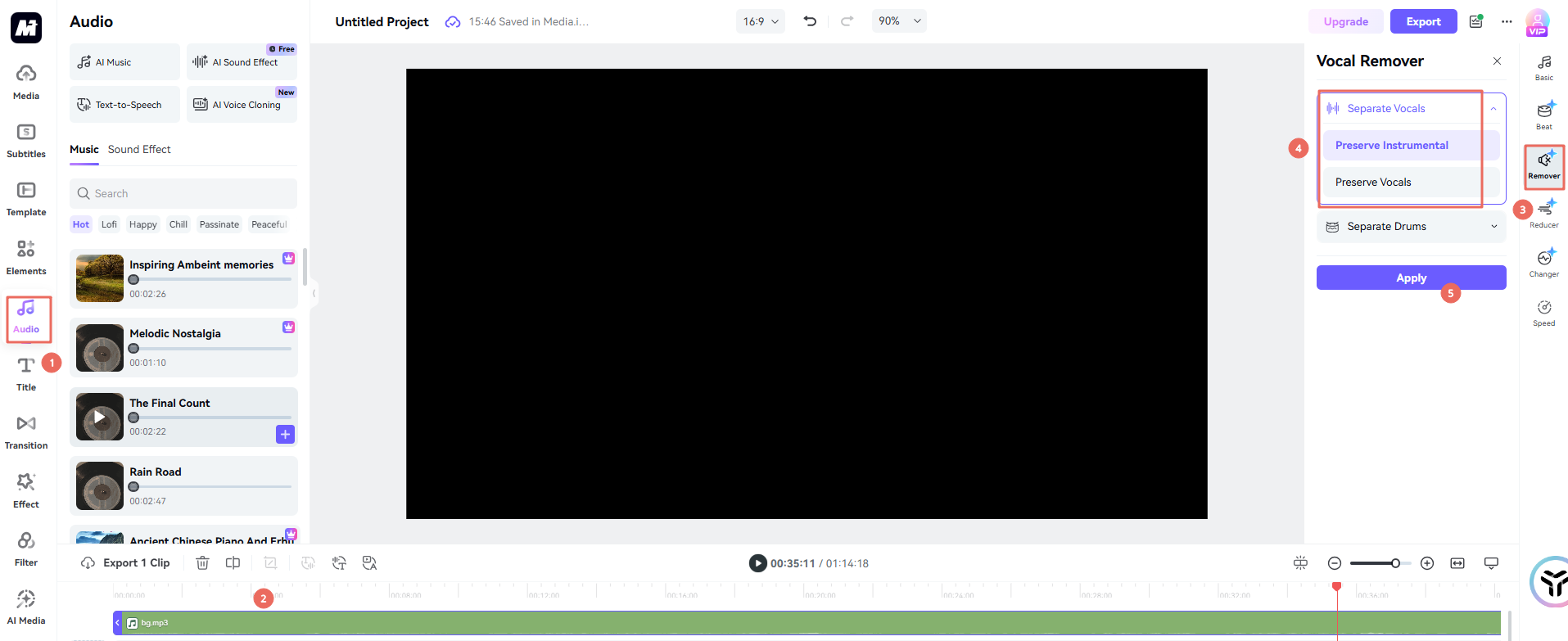
You can then download the separated tracks as needed.
Was This Helpful?
Thanks for your feedback.
Can you tell us what didn't work for you?
Email address is optional. Leave it blank if you do not need follow-up.
Feedback sent!