After editing is complete, please follow these steps to compress the video:
- Click the “Export” button;
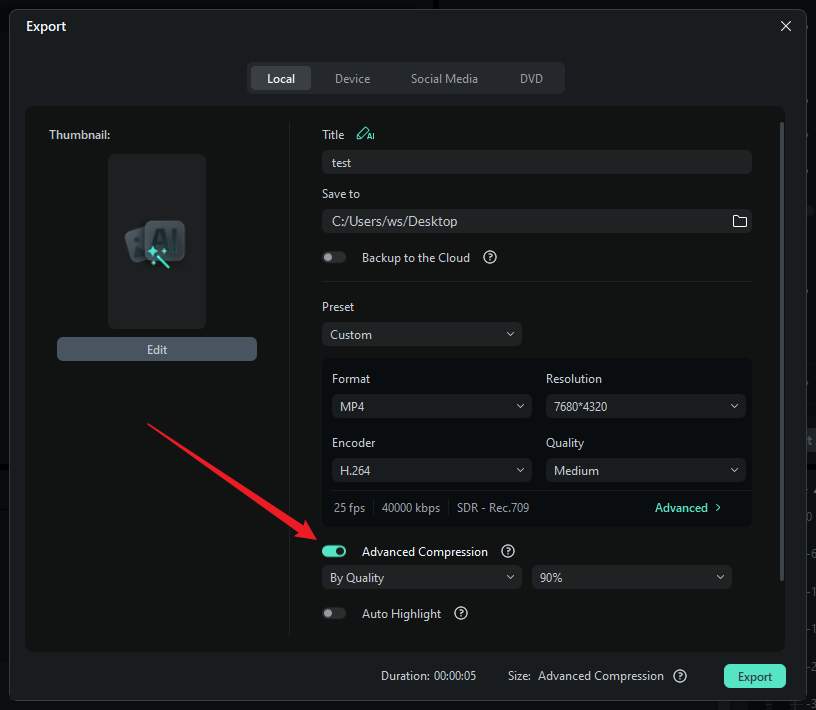
- In the Export window, find and enable Advanced Compression;
- Adjust the compression settings as needed;
- Set the export path and file name, then click “Export” to generate the compressed video file.
Was This Helpful?
Thanks for your feedback.
Can you tell us what didn't work for you?
Email address is optional. Leave it blank if you do not need follow-up.
Feedback sent!