Filmora supports exporting video files without audio. Please follow these steps:
- In the export window, click “Advanced”;
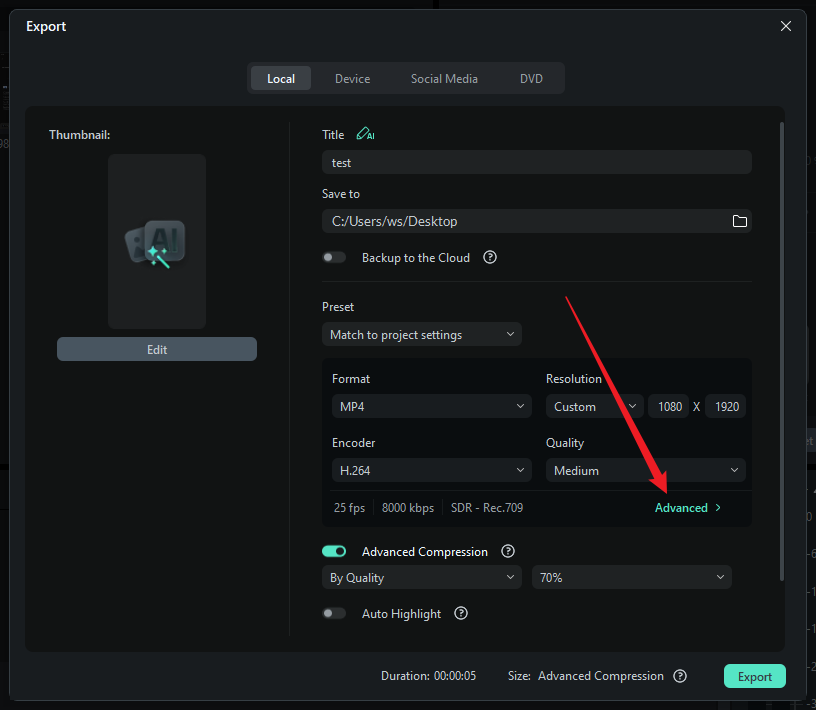
- Scroll down to find “Export Video Only”;

- Check this option, then click “Export”;
- The system will generate a video file without any audio track.
Was This Helpful?
Thanks for your feedback.
Can you tell us what didn't work for you?
Email address is optional. Leave it blank if you do not need follow-up.
Feedback sent!