After purchasing and activating your Filmora license, you should be able to export videos without watermarks. If you're experiencing issues, please follow these steps:
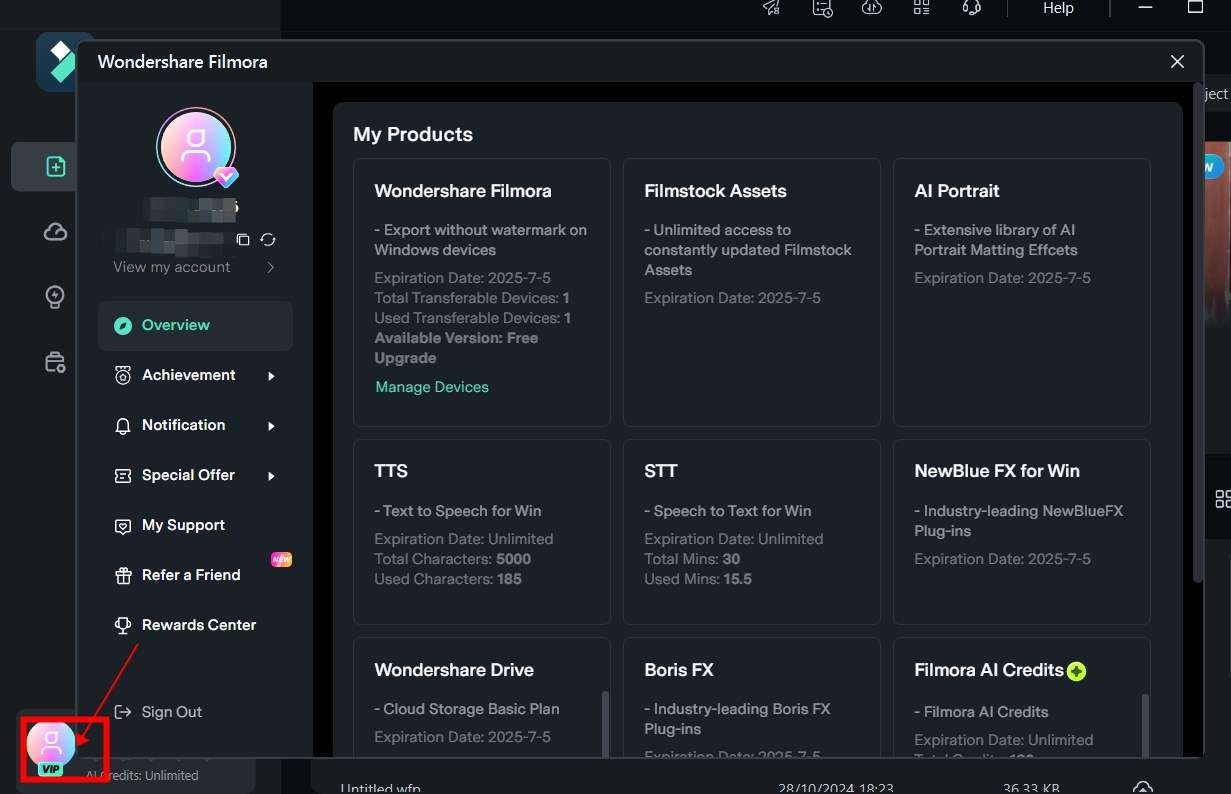
1. Verify Your Login Status
-
Before exporting, click the profile icon (top right corner)
-
Ensure you're logged in with the exact Wondershare ID (email) used for purchase
-
If already logged in but seeing "Free Plan":
-
Try logging out and back in to refresh your account status
2. Check Your Registered Email
-
-
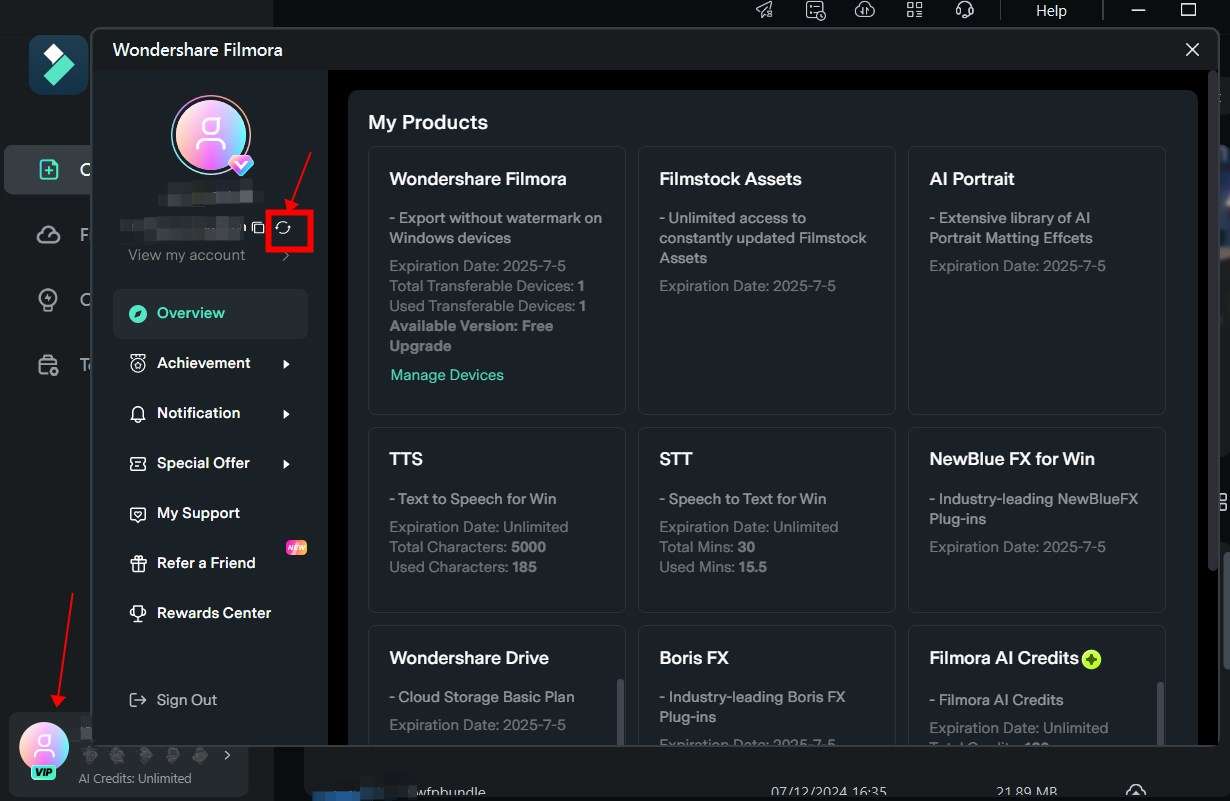
Your license is tied to the email used during purchase
-
If you registered with an incorrect email:
-
Contact our Support Team to update your email address
-
-
3. Confirm Your Purchase Type
-
Filmora software licenses and Creative Assets are separate products
-
Purchasing only Creative Assets doesn't unlock the paid Filmora version
4. Verify OS Compatibility
Licenses are OS-specific:
-
Windows licenses only work on Windows
-
Mac licenses only work on Mac
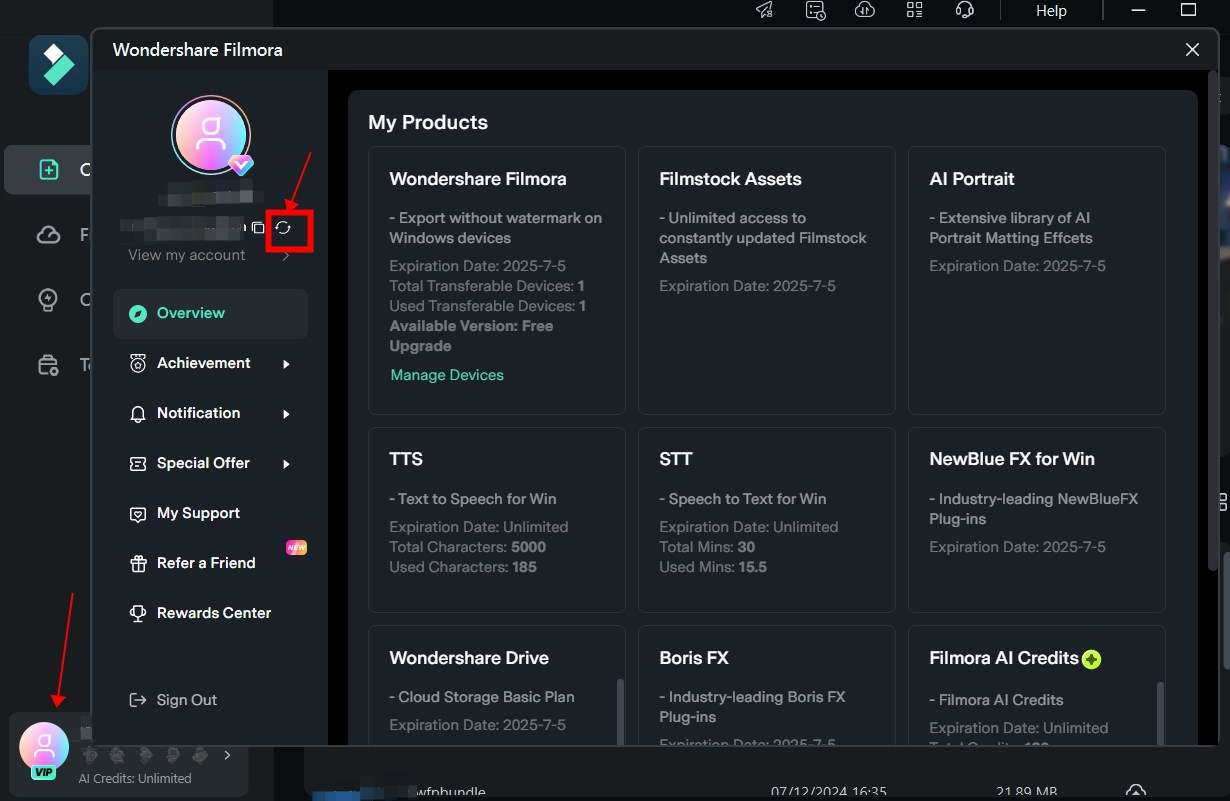
5. Refresh Your Account Status
If correctly logged in but still seeing "Free Plan":
-
Click the [Refresh] button
-
Wait a few seconds for the system to update
-
The paid plan status should appear shortly
Was This Helpful?
Thanks for your feedback.
Can you tell us what didn't work for you?
Email address is optional. Leave it blank if you do not need follow-up.
Feedback sent!