For Windows:
-
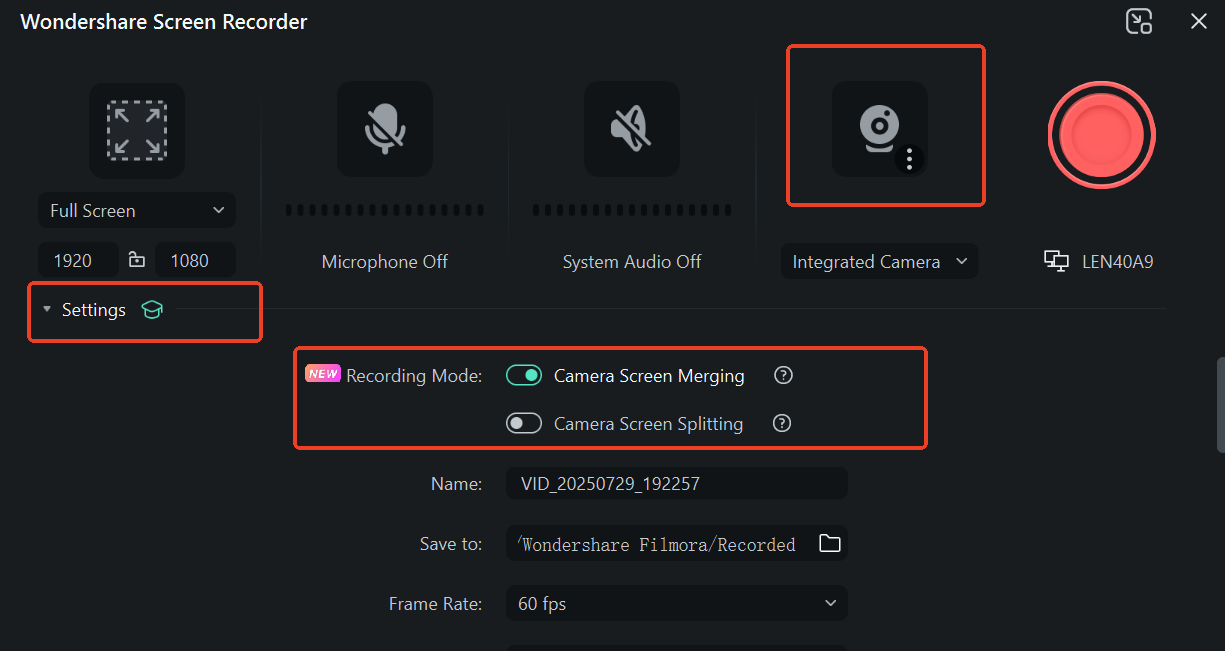
Click "Record PC Screen" in Filmora
-
In the recording settings panel:
-
Enable the camera toggle to activate webcam recording
-
Click "Settings" for advanced options
-
-
Select your preferred track arrangement:
-
Same track: Combines screen and camera footage
-
Separate tracks: Keeps recordings on independent tracks
-
For Mac:
-
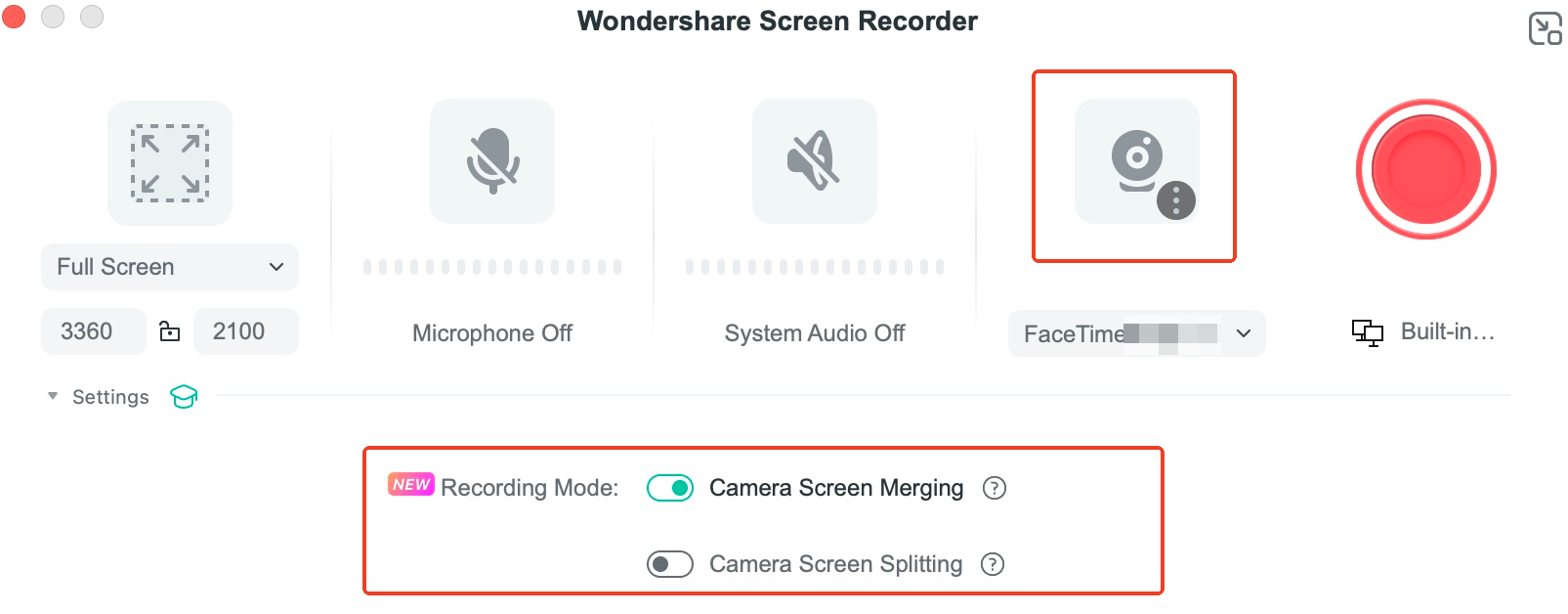
Select "Record PC Screen" from the interface
-
Activate webcam recording by toggling the camera switch
-
In the auto-expanded settings panel:
-
Choose between:
-
Merged track (single video layer)
-
Dual tracks (separate screen/camera streams)
-
-
Was This Helpful?
Thanks for your feedback.
Can you tell us what didn't work for you?
Email address is optional. Leave it blank if you do not need follow-up.
Feedback sent!