For Mac Users:
-
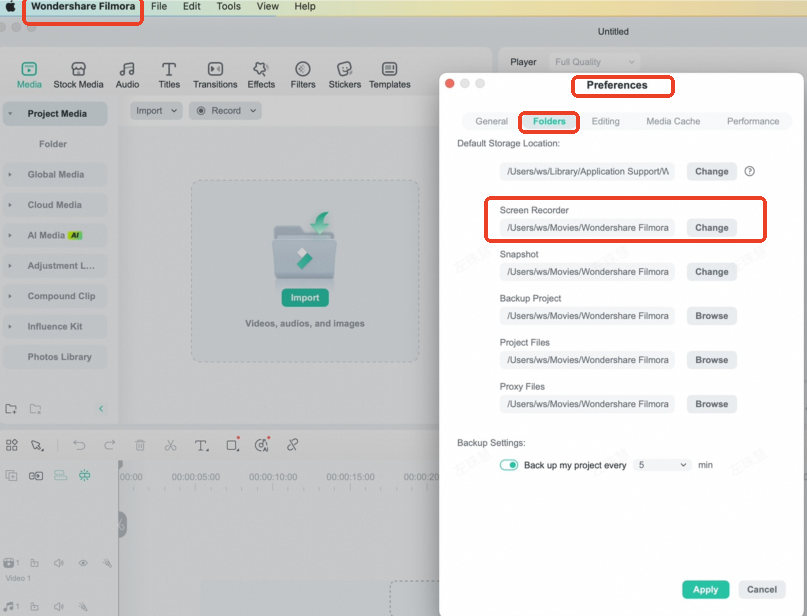
Open Filmora and access the menu bar
-
Navigate to: Wondershare Filmora > Preferences > Folders
-
Locate the folder path you wish to modify
-
Click Change and select your new directory
-
Confirm by clicking Apply
For Windows Users:
-
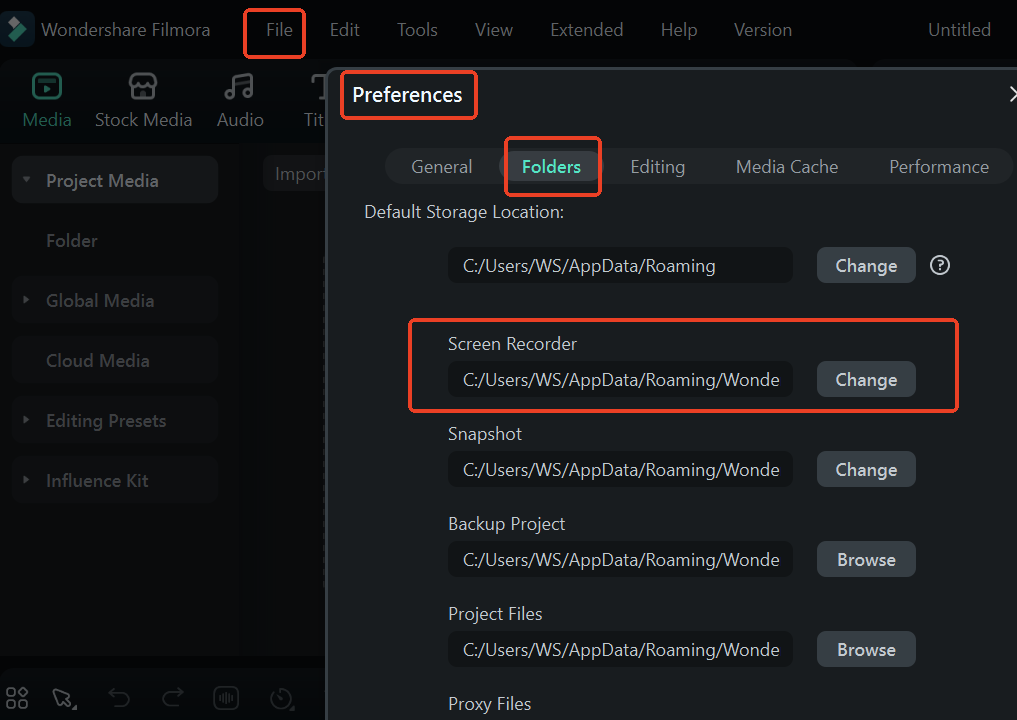
From the editing interface
-
Go to: File > Preferences > Folders
-
Find the "Screen Recorded Files" section
-
Modify the default folder path as needed
-
Click OK to save changes
Additional Notes:
-
Changes only affect new recordings, not existing files
-
Ensure the new location has:
-
Sufficient storage space
-
Proper write permissions
-
Was This Helpful?
Thanks for your feedback.
Can you tell us what didn't work for you?
Email address is optional. Leave it blank if you do not need follow-up.
Feedback sent!