You can detach audio from your video to get the music file and use it elsewhere. That means you can film a concert with your mobile device and later make an MP3 of your favorite piece of music using Filmora. Detaching audio with Filmora is a walk in the park: all you have to do is follow the steps below:
Download and install Filmora on your device. Launch the program and click on New Project to create a project. Now, import your video file into the project by clicking Import Media Files Here. Find and add the target video to Filmora's media library.
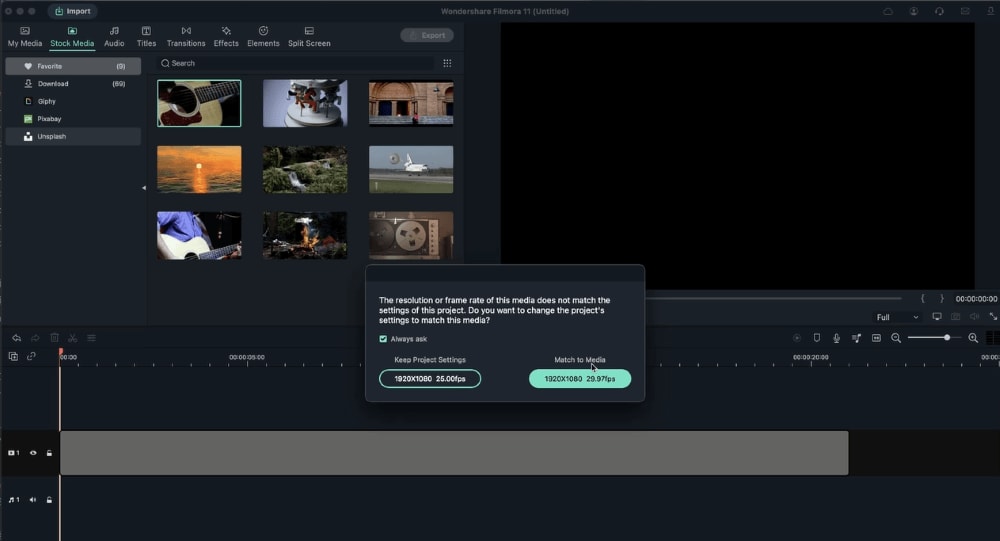
Now that you have imported your video, drag it from Filmora's media library and drop it into the video Timeline. Click on Match to Media.
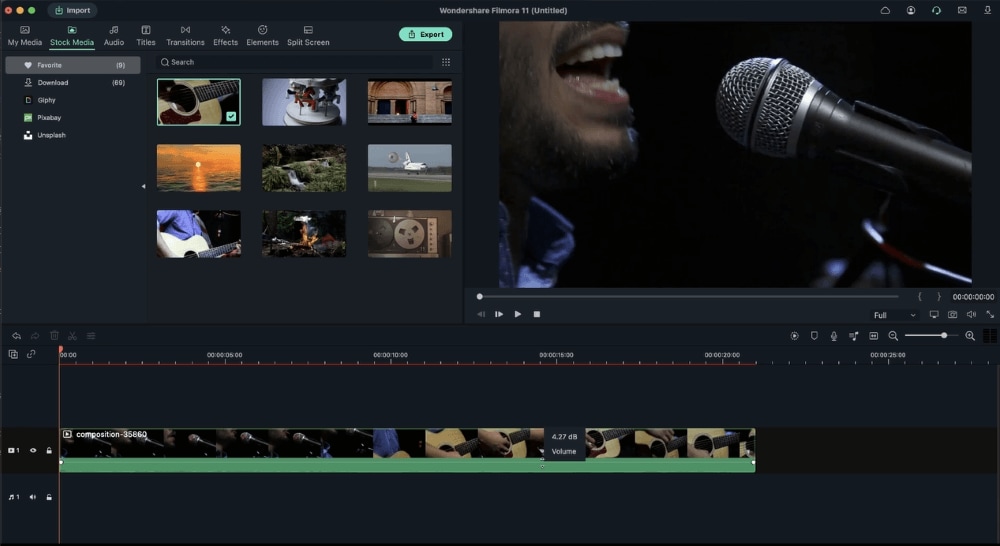
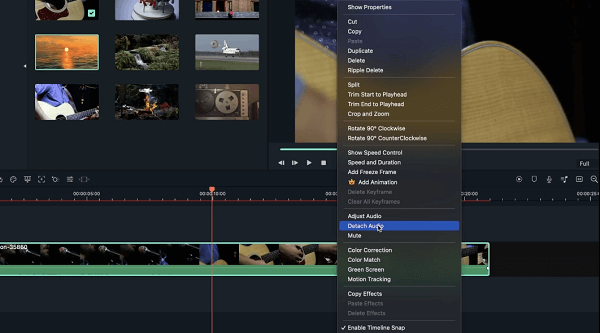
Right-click on the video or press CTRL+Alt+D, and then select the Audio Detach option to extract audio from your video.
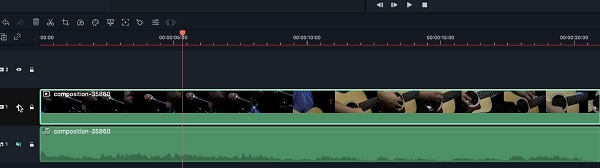
You'll see video and audio on different tracks. You can remove the video file from the timeline if you do not want to keep it by hitting the Delete button.
For more detailed operations, please click on the following video instructions.
Was This Helpful?
Thanks for your feedback.
Can you tell us what didn't work for you?
Email address is optional. Leave it blank if you do not need follow-up.
Feedback sent!