Reason and Explanation:
In video editing or design projects, different aspect ratios (such as 16:9, 9:16, 1:1, etc.) are used for different publishing scenarios. To avoid resetting the ratio every time you create a new project, you can set a default ratio in the project settings.
Solution and Steps:
- Click File > Project Setting in the menu bar;
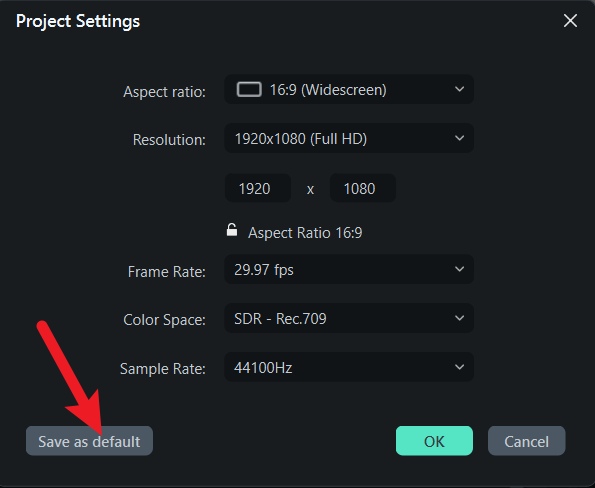
- In the pop‑up settings window, adjust the aspect ratio parameters as needed;
- After finishing the setup, click Save as Default at the bottom left of the window;
- All newly created projects will automatically apply the default ratio you set.
Was This Helpful?
Thanks for your feedback.
Can you tell us what didn't work for you?
Email address is optional. Leave it blank if you do not need follow-up.
Feedback sent!