For versions above 14.8.10, the Voice Changer feature has been moved to the **Effects** section under **Audio Effects**. You can find it there and apply the desired changes to your audio track.

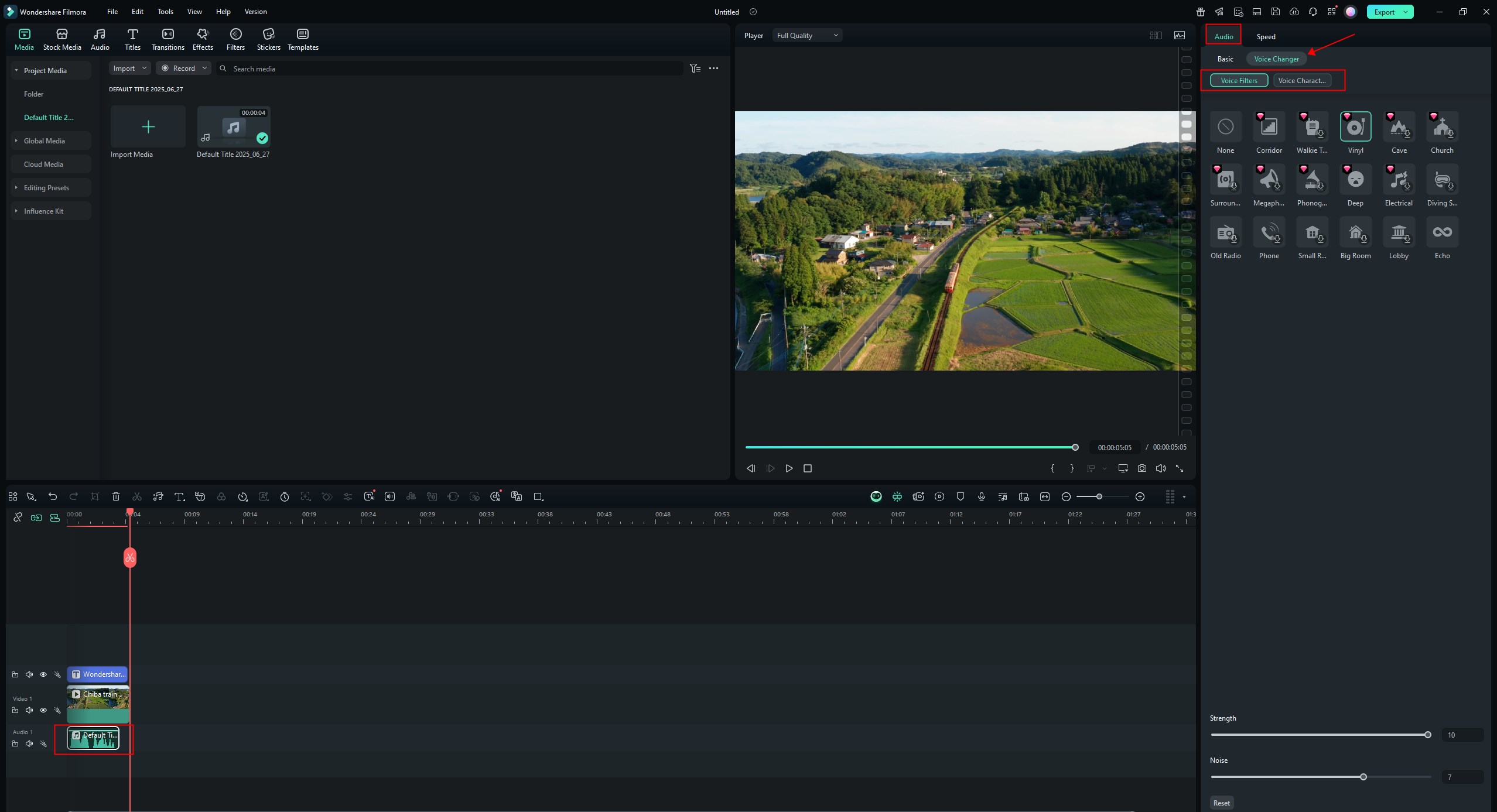
If you are using Filmora version 14.8.10 or earlier, you can access the Voice Changer feature by following these steps:
- Select the audio track you want to modify.
- Navigate to the “Audio” option.
- Choose "Voice Changer" from the menu.
- Select the desired voice filter or character, and apply it to your audio track.
Was This Helpful?
Thanks for your feedback.
Can you tell us what didn't work for you?
Email address is optional. Leave it blank if you do not need follow-up.
Feedback sent!