Reason and Explanation:
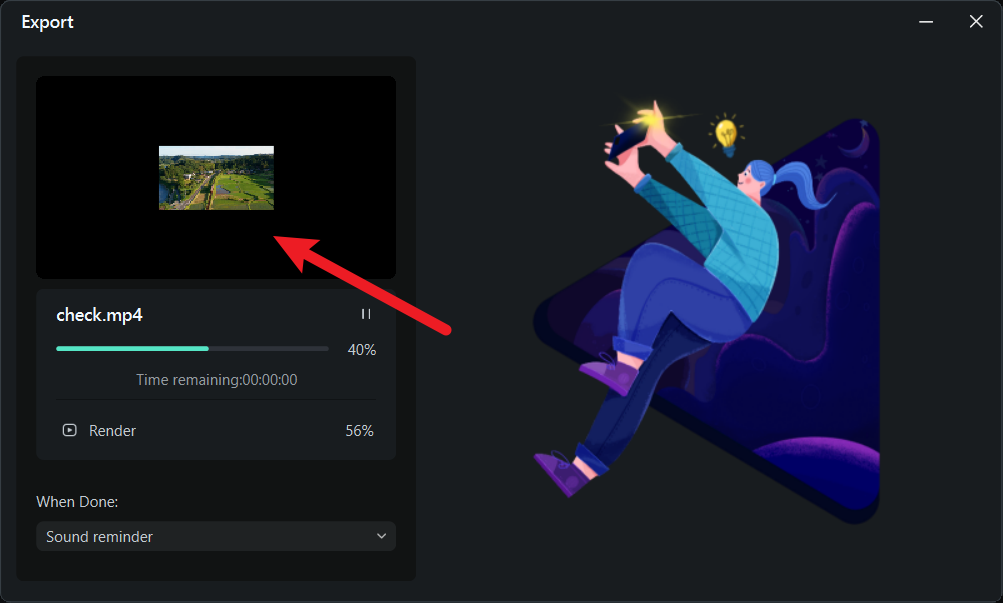
The preview window during export uses a fixed horizontal display ratio to uniformly present how the video layout appears with different parameters. This does not reflect the actual orientation of the exported video. Your final video orientation will be determined by the original footage and export settings, and will not be changed to horizontal simply because of the preview display.
Solution and Next Steps:
- Before exporting, check that the project settings are set to vertical (e.g., resolution 1080×1920);
- In the “Export” interface, confirm that the output resolution and orientation meet vertical requirements;
- After export is complete, directly view the final video file to verify the orientation is correct.
Was This Helpful?
Thanks for your feedback.
Can you tell us what didn't work for you?
Email address is optional. Leave it blank if you do not need follow-up.
Feedback sent!