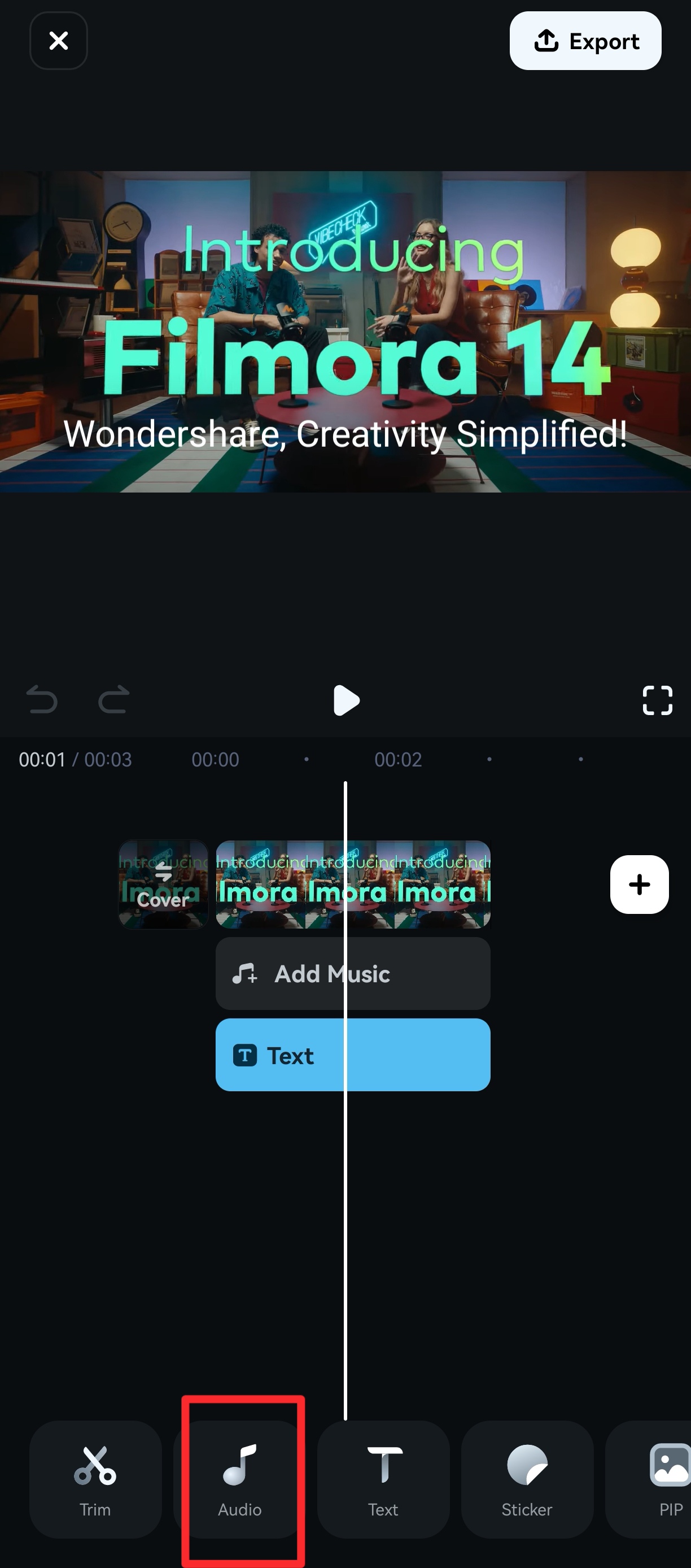
To check whether the music in Filmora mobile is commercially available, upon entering the Filmora editing interface, please locate the Audio option in the toolbar below and then select Music.

Once you have entered the music interface, kindly click on the style classification module above to access the respective music track page.
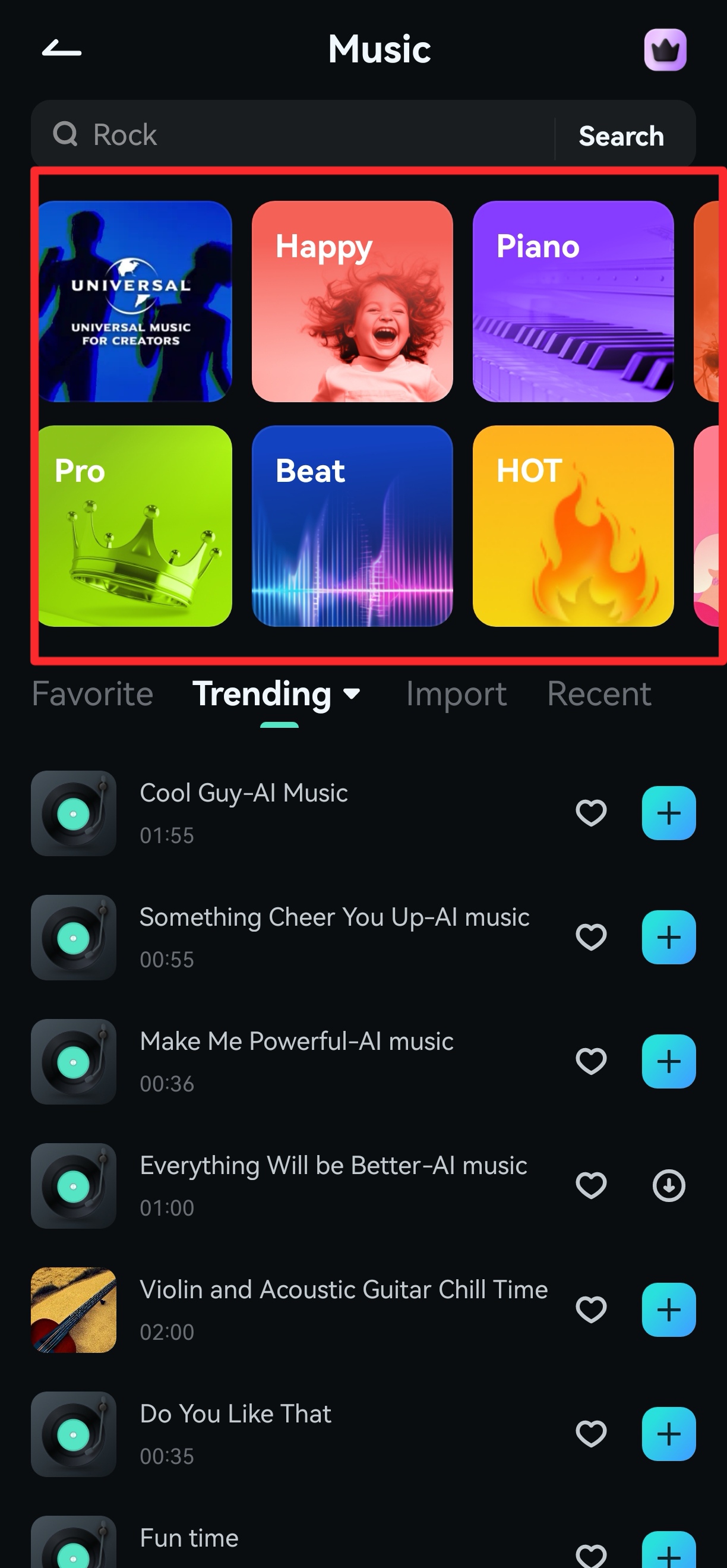
Please ensure to check if the music you used has the Commercially Available label displayed below it. Music without this label indicates that it is not available for commercial use.

For more detailed operations, please watch the following video instructions.
Was This Helpful?
Thanks for your feedback.
Can you tell us what didn't work for you?
Email address is optional. Leave it blank if you do not need follow-up.
Feedback sent!