AI Remover in Filmora for mobile supports users to remove object or text. Please follow the steps below to use AI Remover feature in Filmora for Mobile.
You can find out this feature in the following two ways:
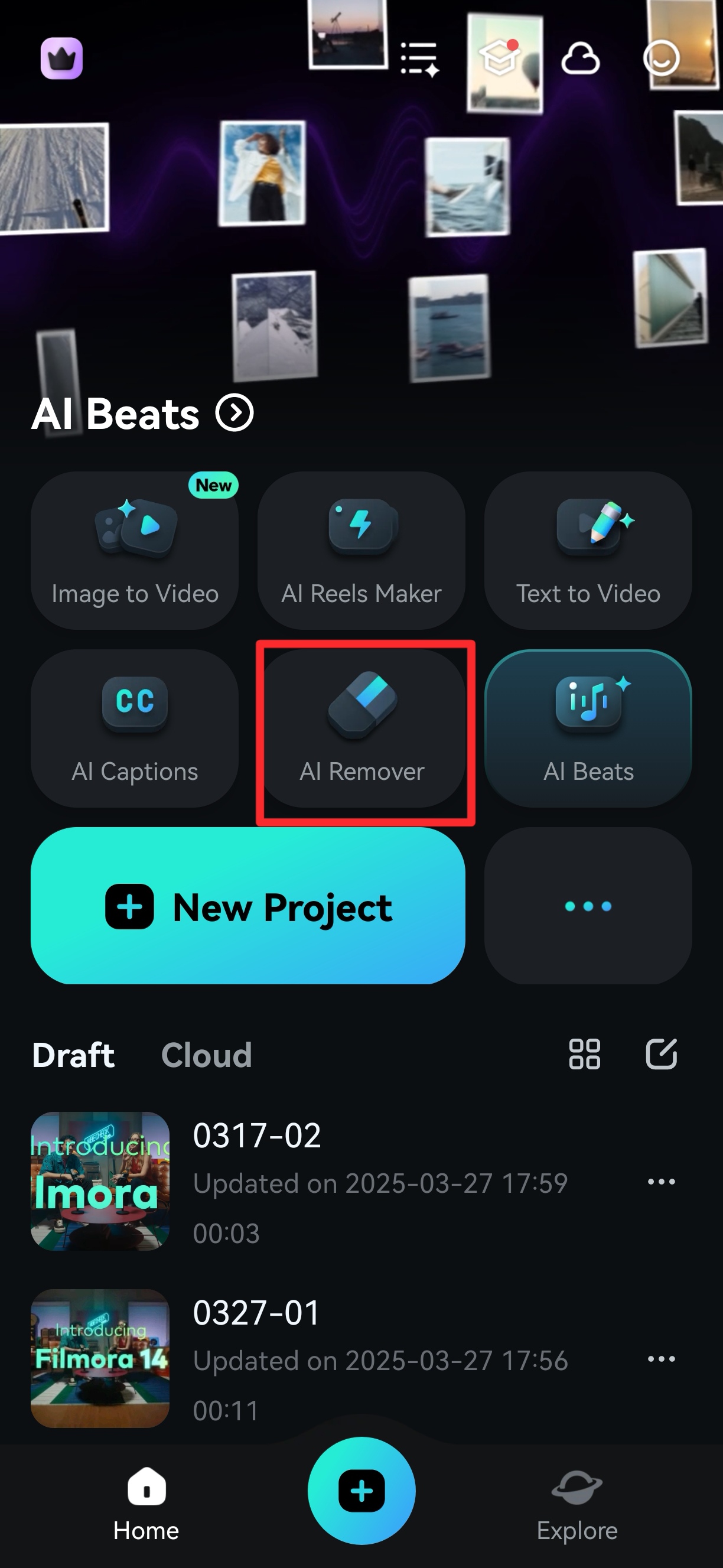
1. Tap the AI Remover shortcut in the application’s Quick Access Panel.
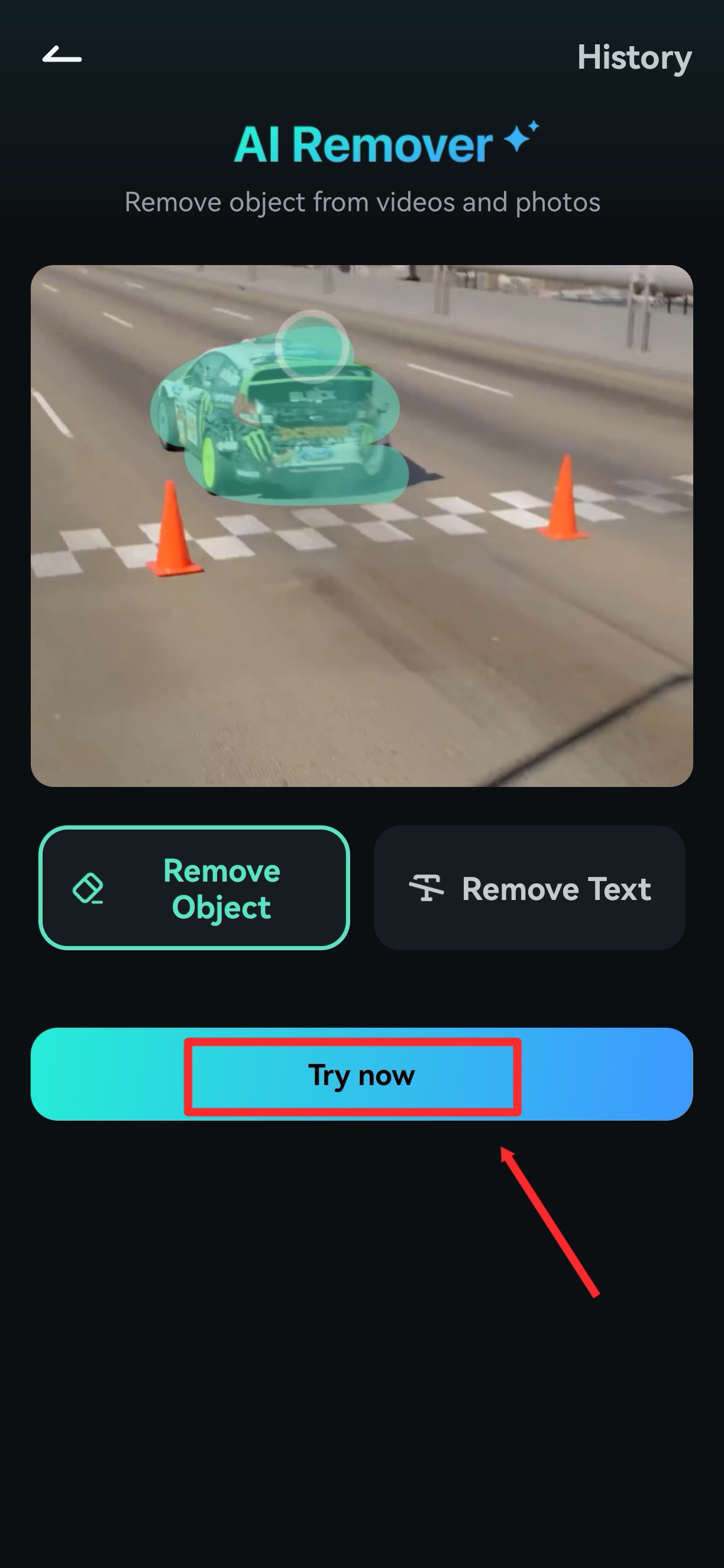
2. Choose Remove Object or Remove Text, then click Try now button at the bottom of the screen.
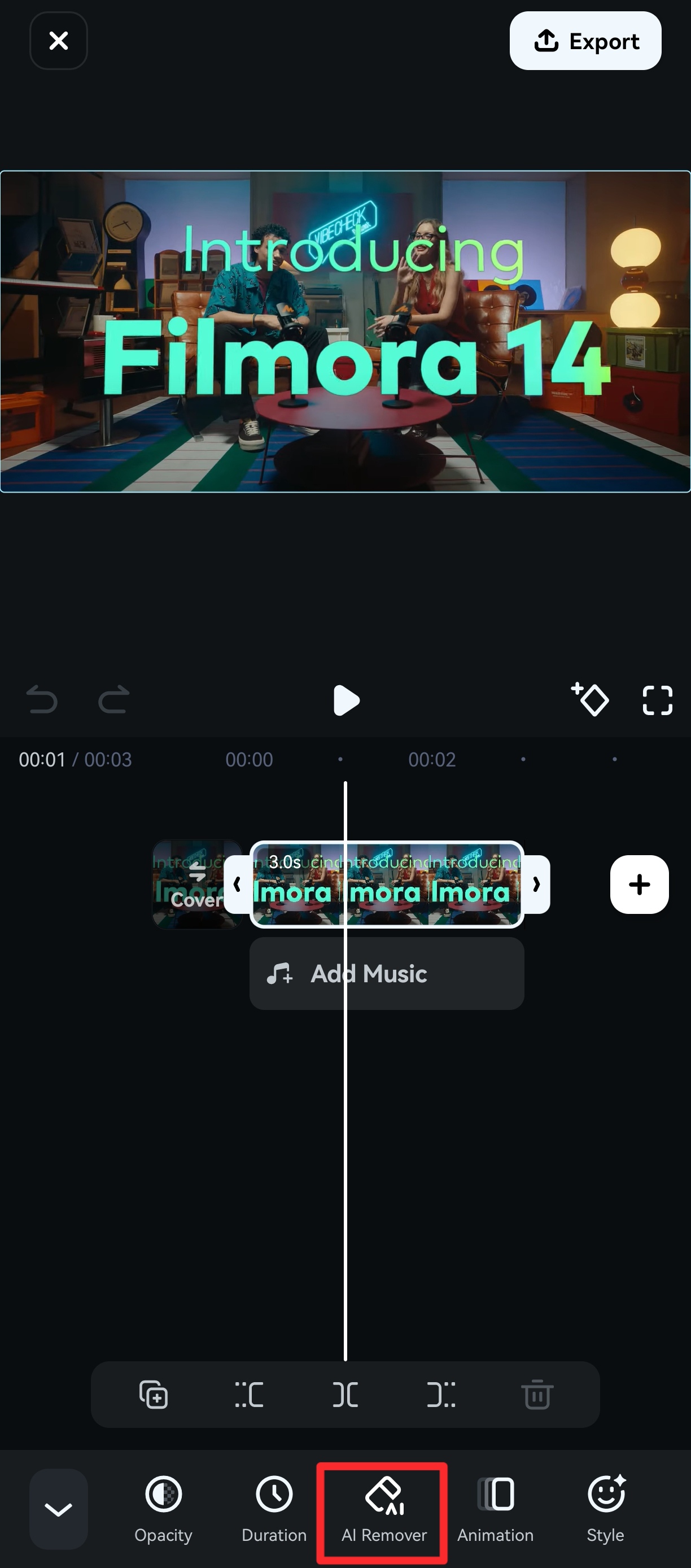
You can also use this feature when you editing a video:
Select the video clip you wish to remove object or text in the timeline, and find the AI Remover in the toolbar below.
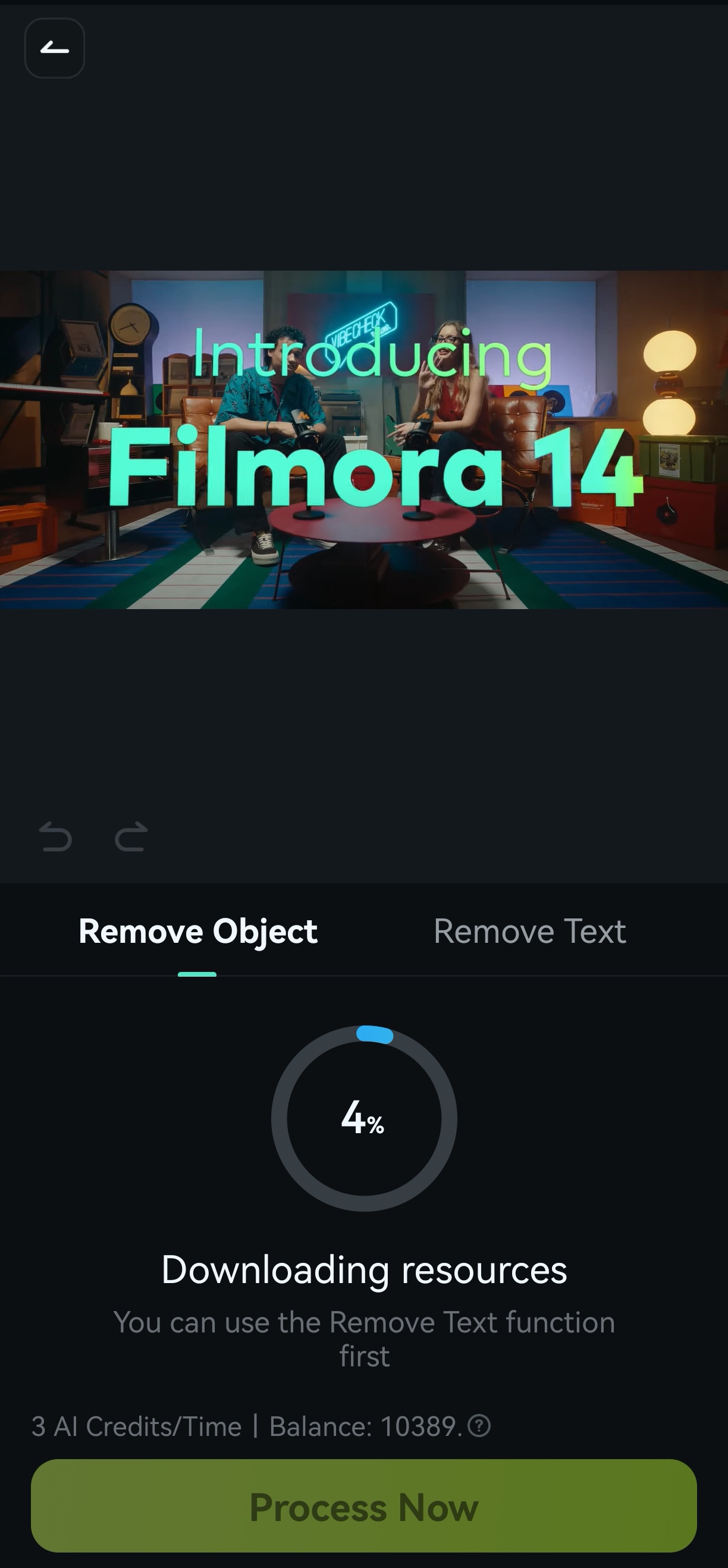
Choose Remove Object or Remove Text, then click Process now button at the bottom of the screen.
Was This Helpful?
Thanks for your feedback.
Can you tell us what didn't work for you?
Email address is optional. Leave it blank if you do not need follow-up.
Feedback sent!