To use AI voice cloning, please find this function in the following two ways:
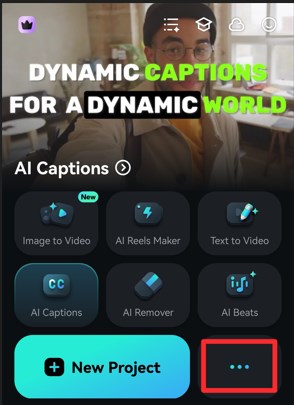
First, please click the 3 dots icon in Filmora homepage to enter more functions.
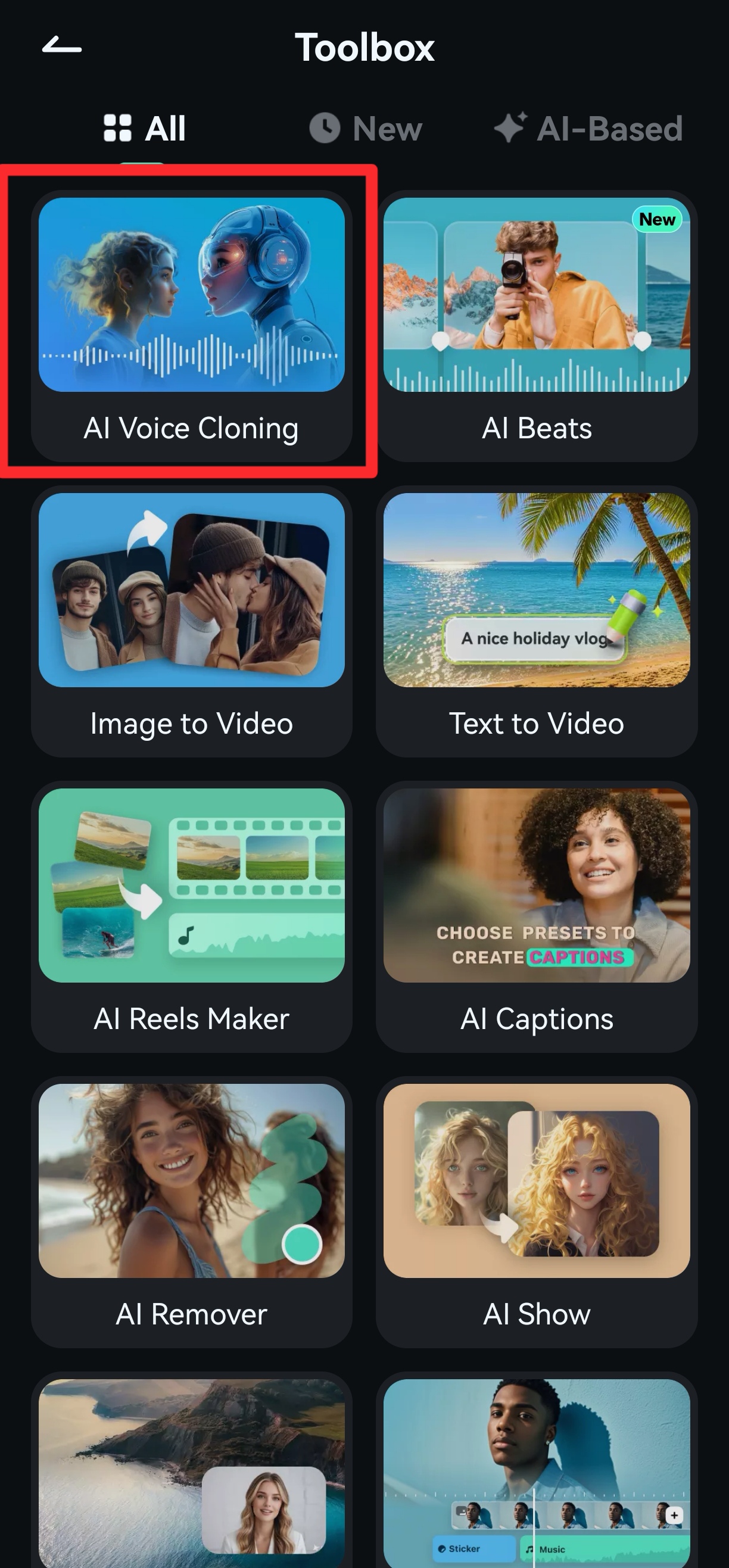
You will see the AI Voice Cloning in this toolbox. Then you can click it to use this function to clone your voice.
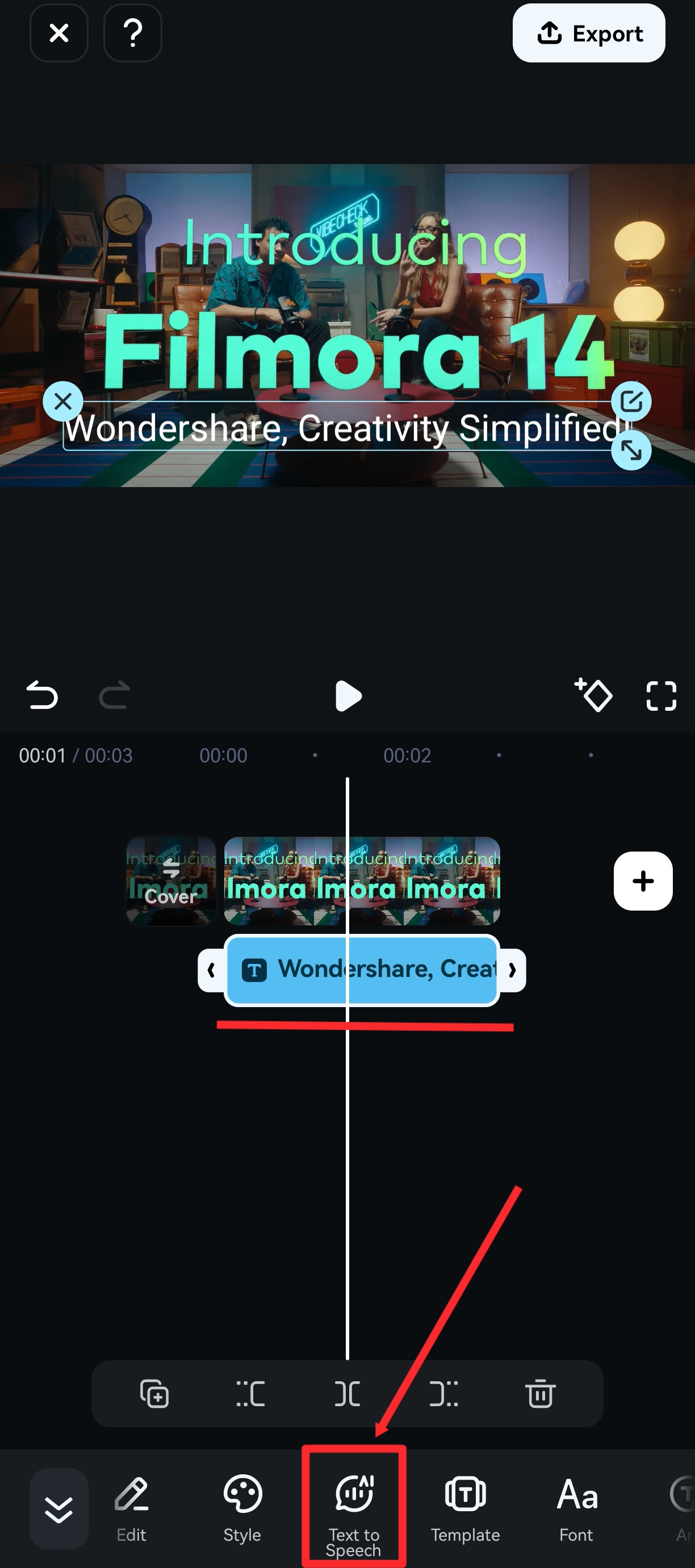
Second, please enter Filmora editing interface in mobile, add a text clip, and select the text clip. Then find and click the Text to Speech function in the function bar below.
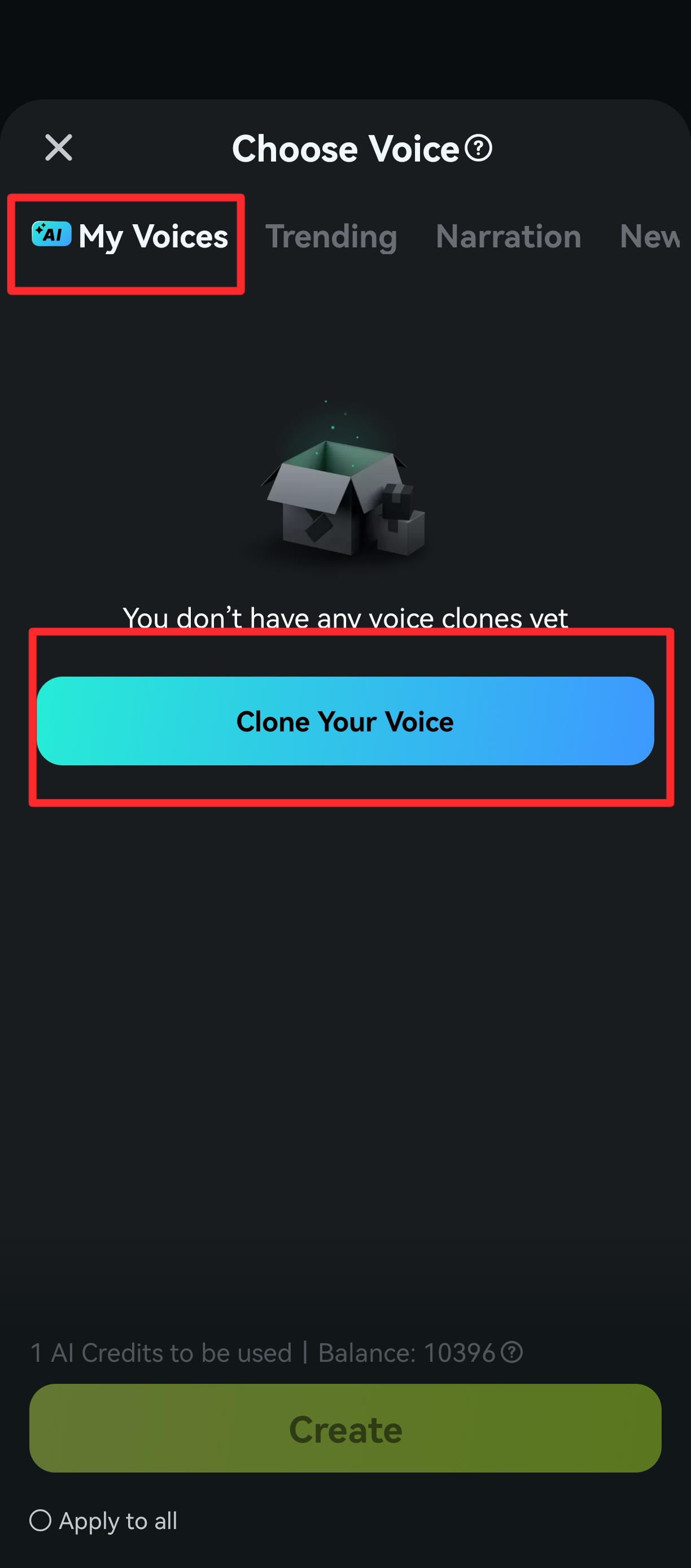
Find My voices and click Clone your voice.
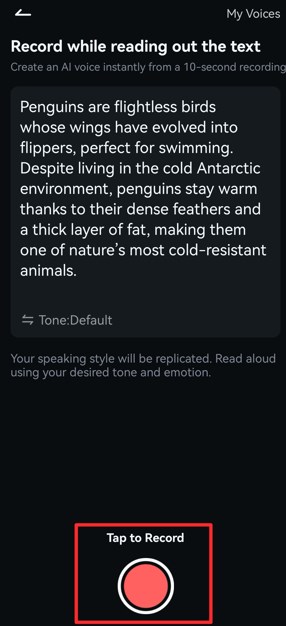
After clicking Clone Your Voice, you will need to read the text and tap to record your voice.
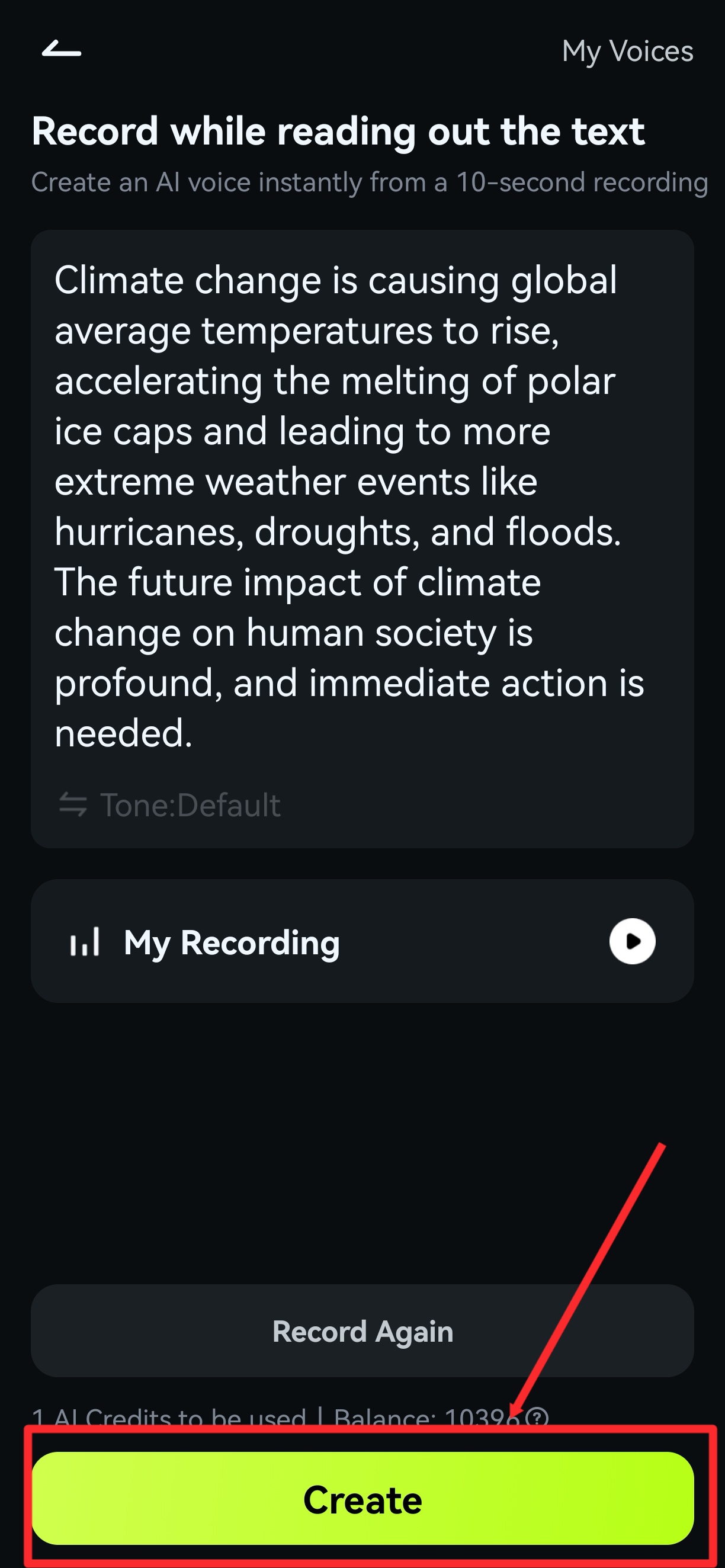
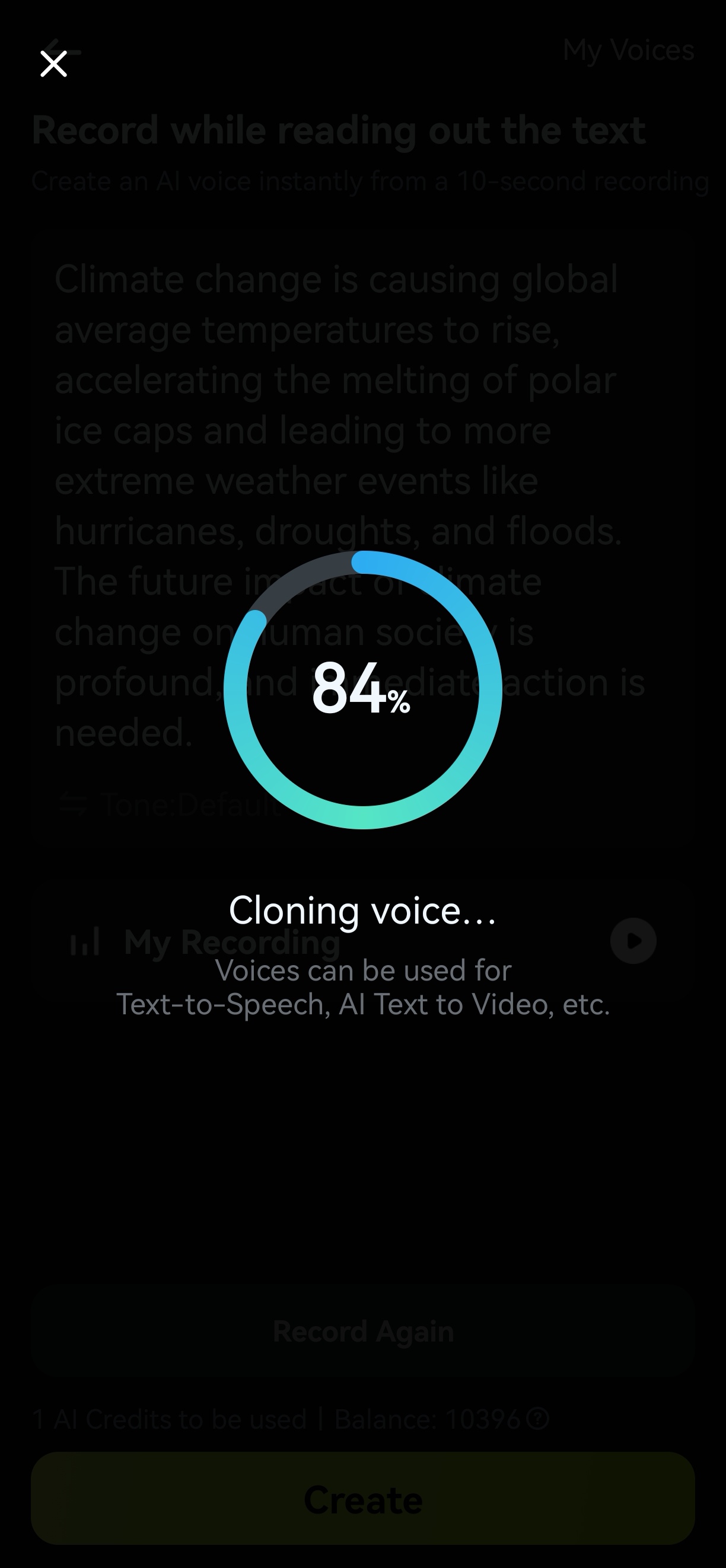
After reading and recording, simply click Create and wait for the generation. Please be patient during the generation process and do not cancel it, as this may result in the loss of your AI Credits.
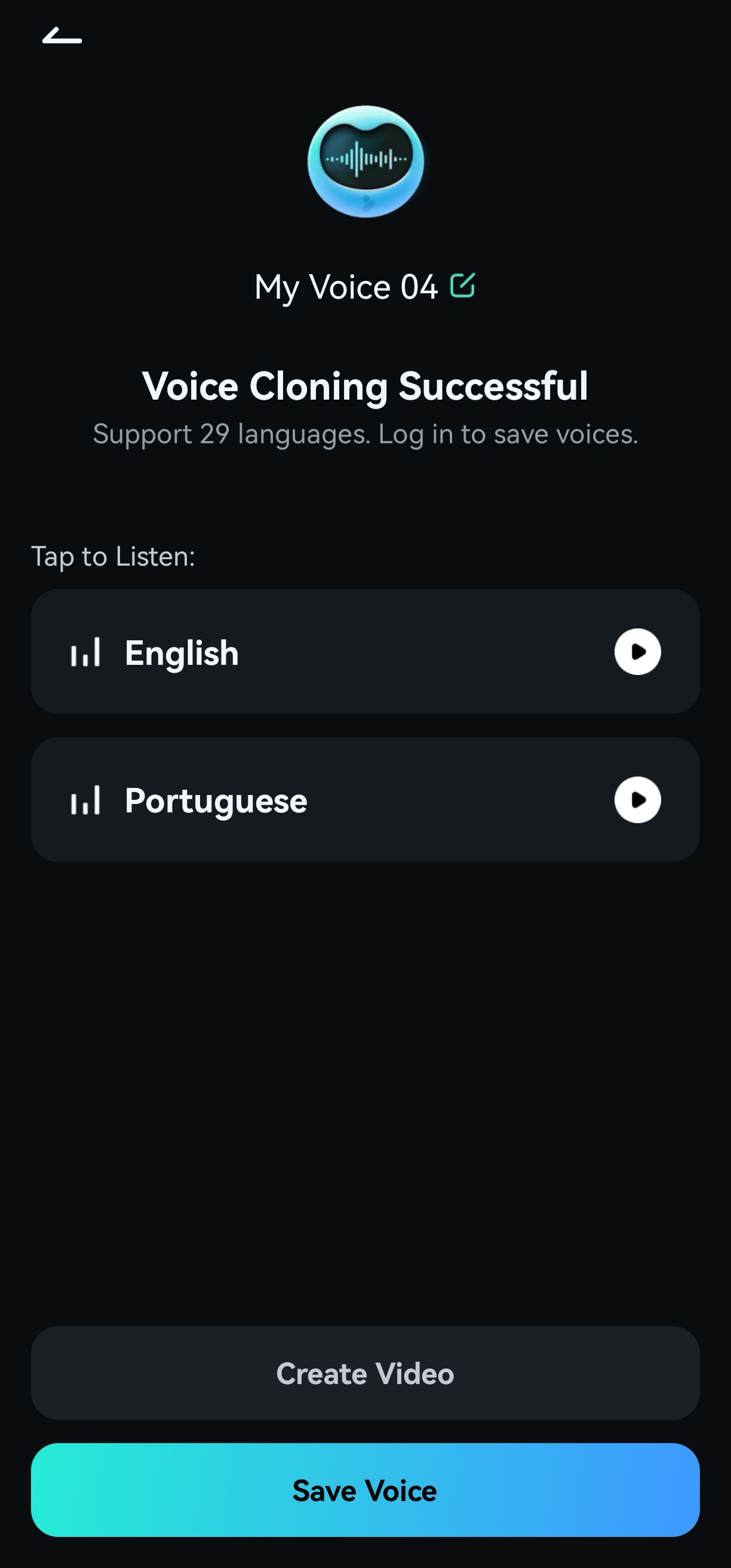
Once it is finished, you can tap to listen to your cloned voice and save it for later use.
Was This Helpful?
Thanks for your feedback.
Can you tell us what didn't work for you?
Email address is optional. Leave it blank if you do not need follow-up.
Feedback sent!