Fammy Plus is an auxiliary tool launched after version 8.0, primarily designed to assist users in obtaining call and message information from their child's device and to block necessary accounts as required. Under normal circumstances, Fammy Plus also has a mechanism to prevent children from uninstalling it, and it cannot be directly removed by long-pressing the app icon. Additionally, since the logo for Fammy Plus is hidden by default, to uninstall it normally, please follow the instructions provided below: If you only wish to uninstall Fammy Plus: After entering Fammy, tap the settings button at the top right corner, select "Auxiliary Tool," and enter the parent's account password or the Pin code to unlock the parent's app. You will then see the button to uninstall Fammy Plus.
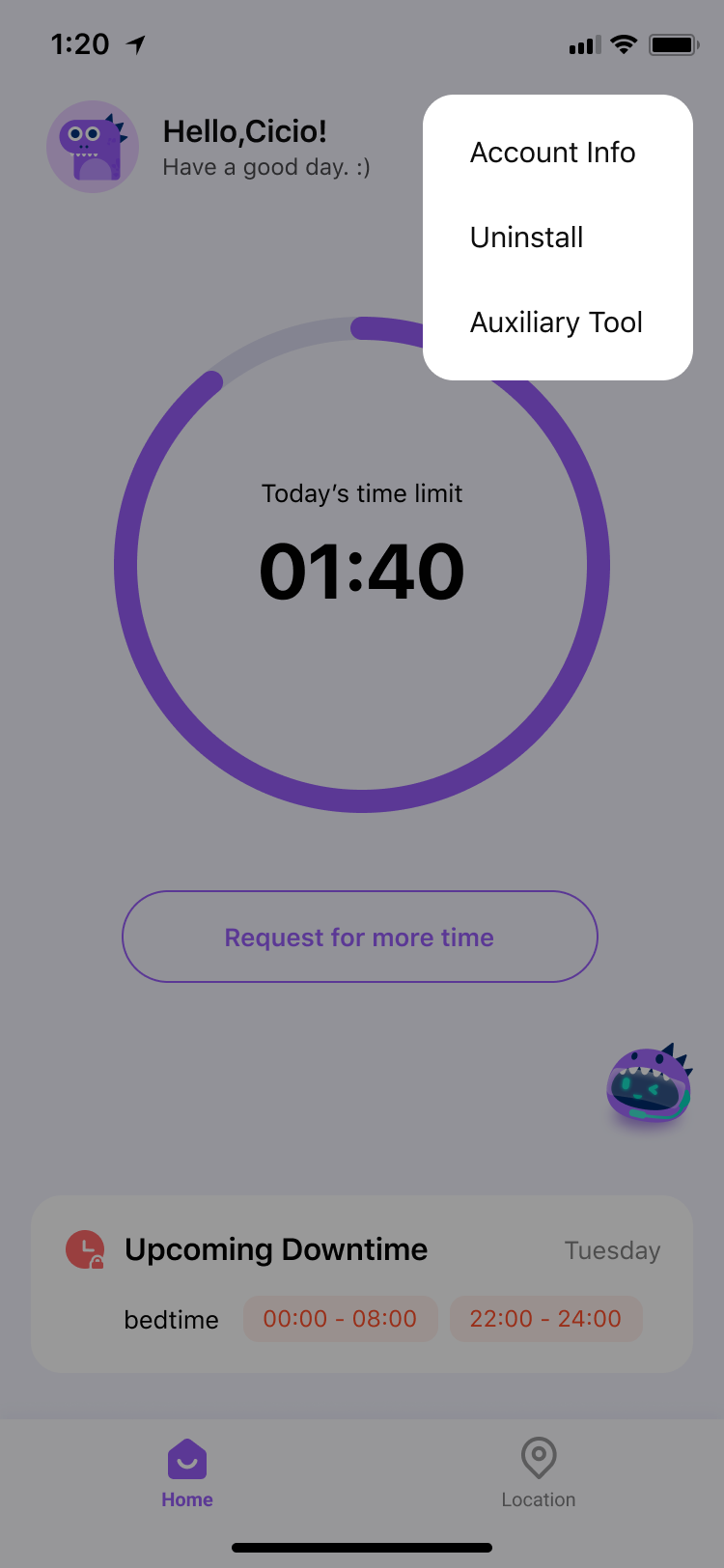
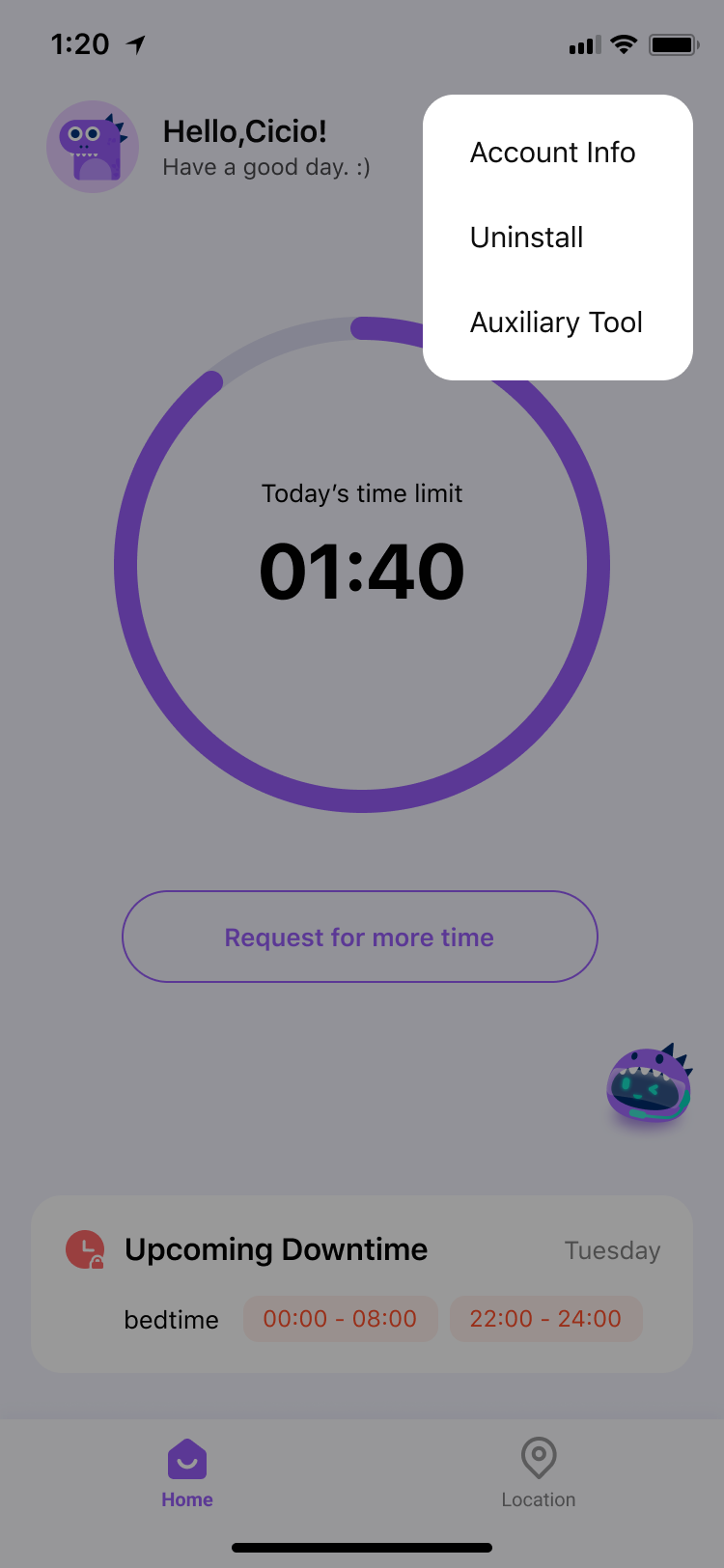
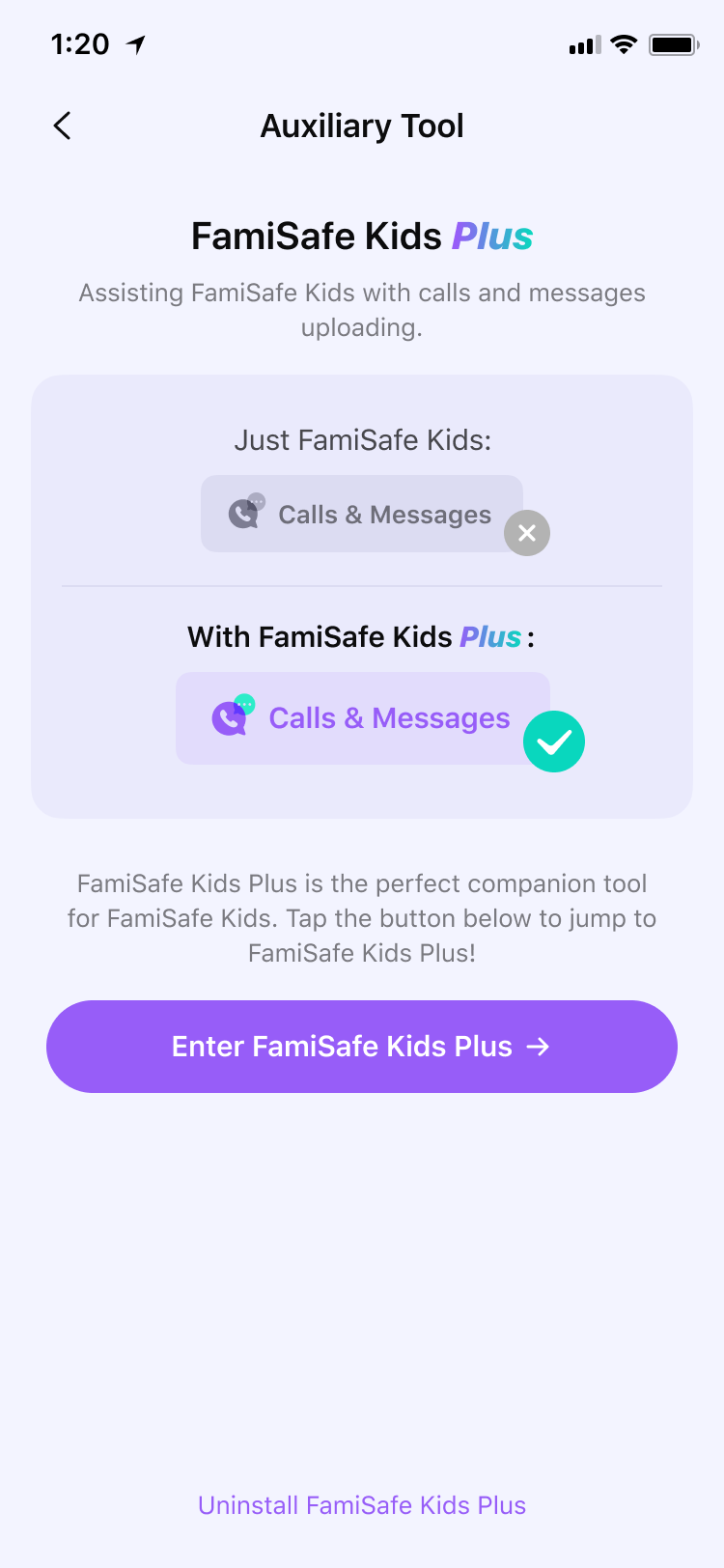
If you wish to remove not only Fammy Plus but also Fammy: You can follow the steps to uninstall Fammy from the child's Android device as outlined in the instructions for "Uninstalling Fammy." Once Fammy has been successfully uninstalled, the anti-uninstall mechanism for Fammy Plus will no longer be active, and you can remove it directly.
Was This Helpful?
Thanks for your feedback.
Can you tell us what didn't work for you?
Email address is optional. Leave it blank if you do not need follow-up.
Feedback sent!