Step 1: Locate the entry for Browser History and scroll through to view the details of the websites your child has visited. Please note that this feature only works with certain browsers like Chrome, Firefox, and Microsoft Edge.
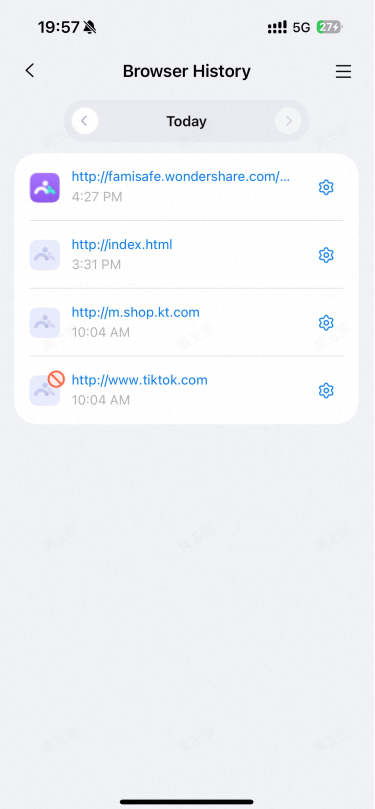
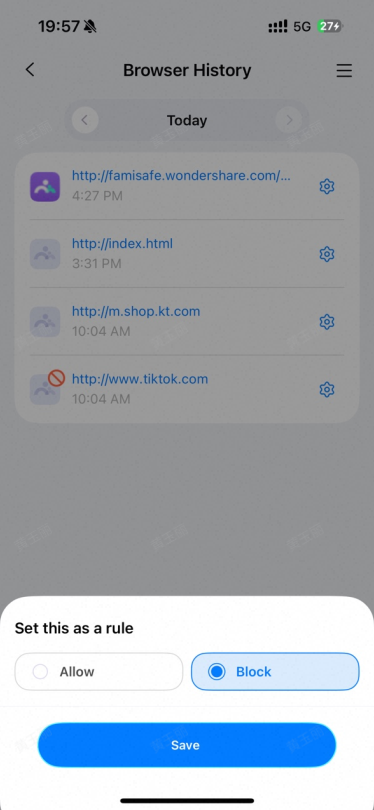
Step 2: Tap the icon beside the website address to set the website as an exception, and you can choose to block or allow it. Step 3: Tap on the "<" or ">" to check browser history of the previous/next day or tap on the date to check the history of a specific day.
Was This Helpful?
Thanks for your feedback.
Can you tell us what didn't work for you?
Email address is optional. Leave it blank if you do not need follow-up.
Feedback sent!