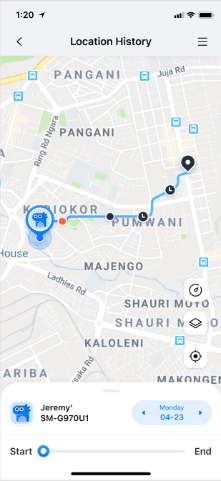
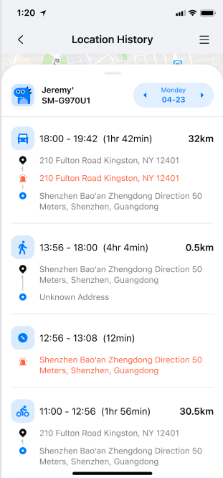
FamiSafe's Location History feature lets you see where your child has been and view their location history for the past 30 days.
How to use:
Step 1: Tap "Features," then tap "Location History."
Step 2: View location history in timeline format.
Step 3: Tap "<" or ">" to view location history for the previous or next day. Alternatively, tap a date to select the specific date you wish to view.
Was This Helpful?
Thanks for your feedback.
Can you tell us what didn't work for you?
Email address is optional. Leave it blank if you do not need follow-up.
Feedback sent!