FamiSafe's social media content detection features include Social Media Content Monitor and AI Emotion Insights (Social Media). These tools help you
Monitor up to 32 social media platforms: WhatsApp, Instagram, TikTok, Snapchat, Discord, Reddit, Telegram, Facebook, X (Twitter), BeReal, Spotify, Pinterest, Slack, Messenger, Kik, GroupMe, VSCO, HOLLA, Tumblr,Tellonym, Flickr, Signal, TextMe, Google Meet, SMS, Google Messages, JustTalk Kids, ShareChat, Kwai, Google Chat, Messenger Kids, Twitch.
If suspicious content is detected, parents can review Keyword Alerts and AI Insights.
How to use Keyword Alerts:
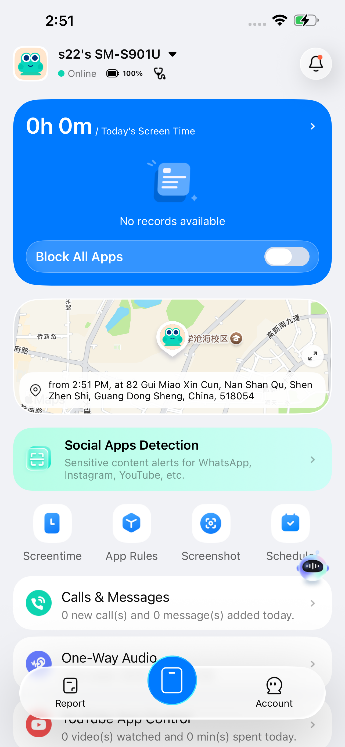
Step 1: On the Device page, tap > "Social Apps Detection" to enter the Social Apps Detection homepage.
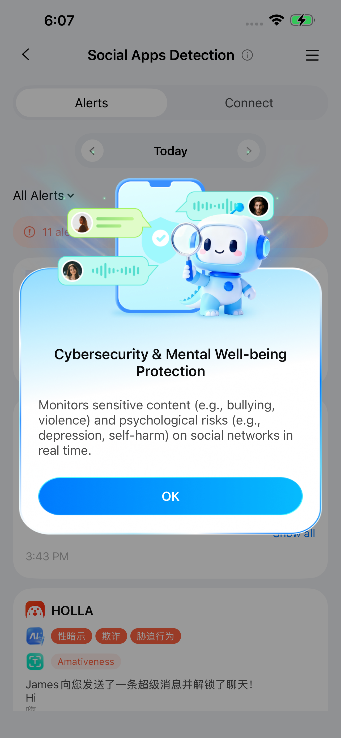
Step 2: Click the Connect tab and select Keyword Alerts.
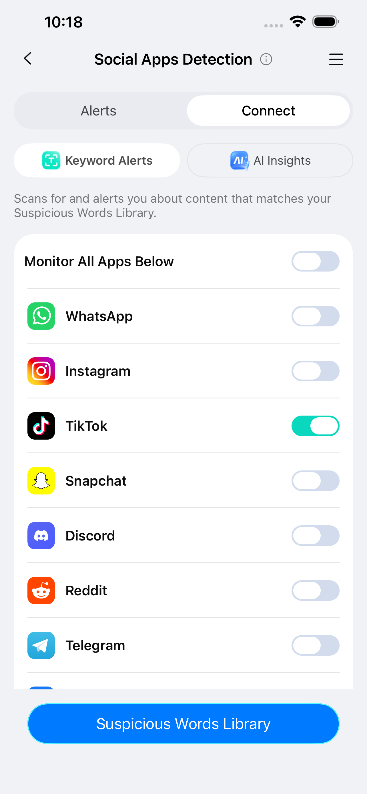
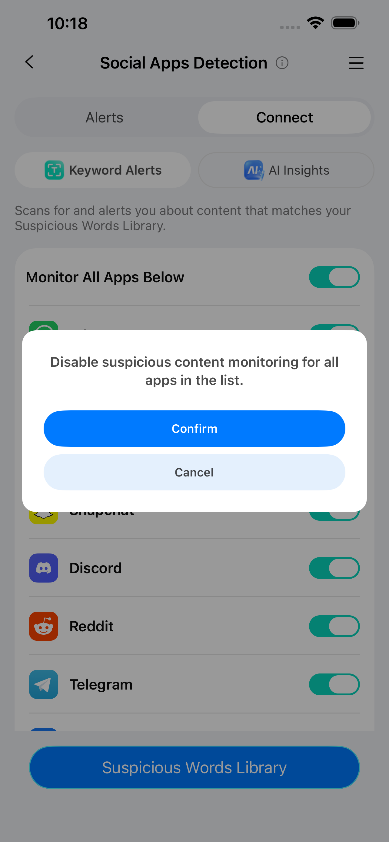
Step 3: Click Monitor All Apps Below to monitor all apps or select specific apps you wish to monitor. Then click Confirm and the Start Monitoring OK button. FamiSafe will begin monitoring all selected apps. If sensitive keywords are detected during monitoring, an alert will be triggered.
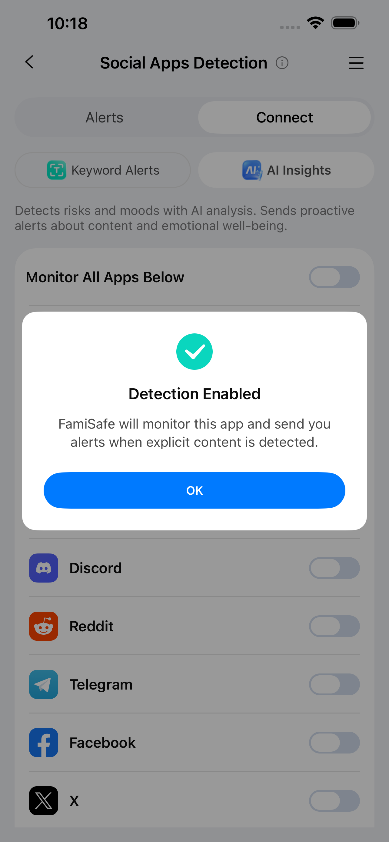
Step 4: Alerts will be sent to your phone as notifications. You can view them in the Alerts tab section.
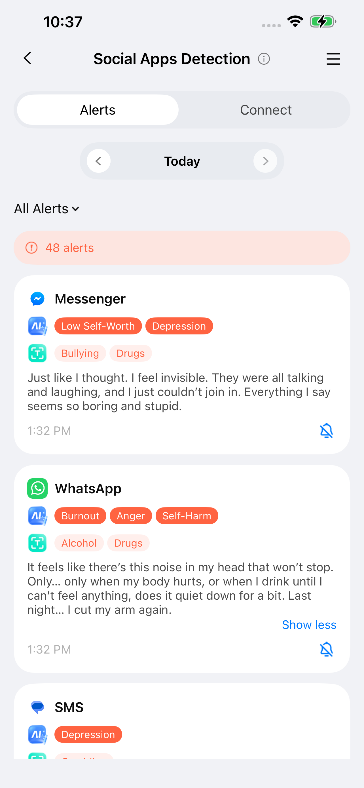
How to Use AI Emotional Insight Alerts:
Step 1: On the Device page, tap > "Social Apps Detection" to enter the "Social Apps Detection" homepage.
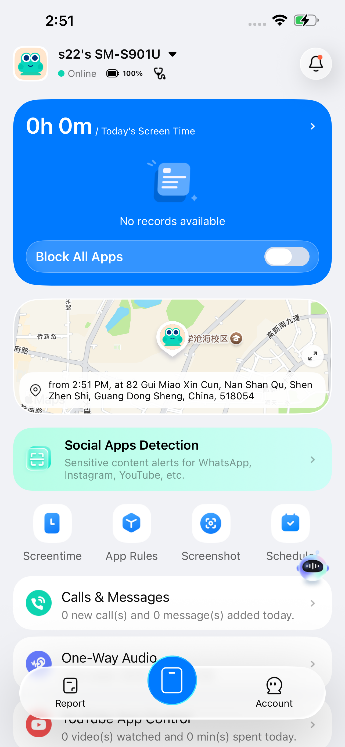
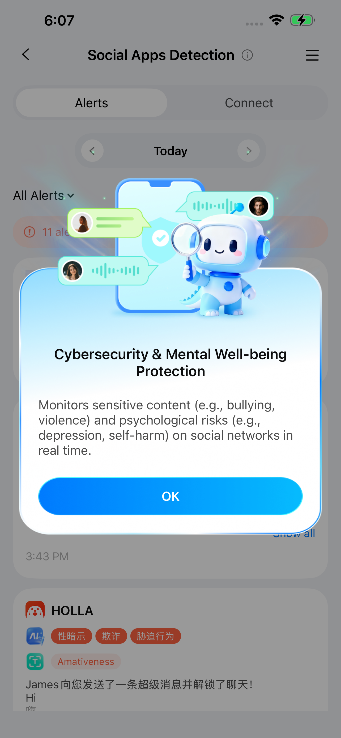
Step 2: Tap the Connect tab and select AI Insights.
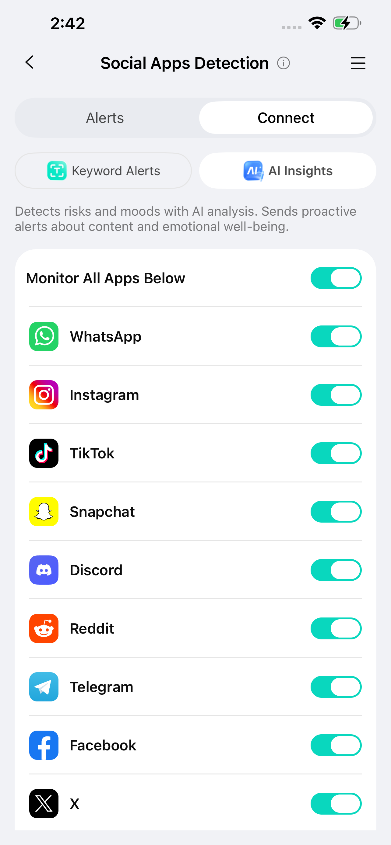
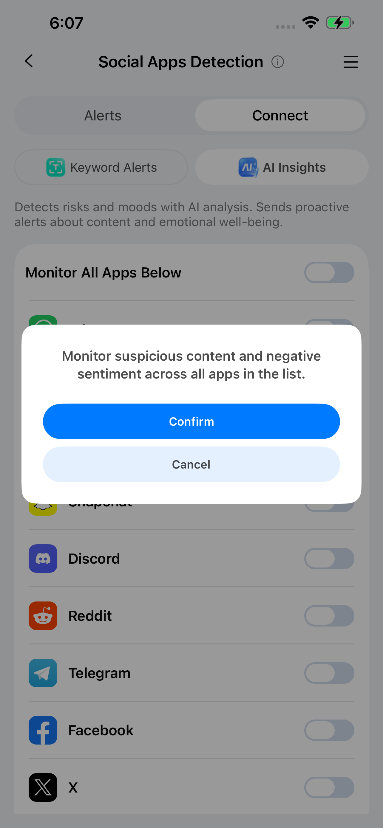
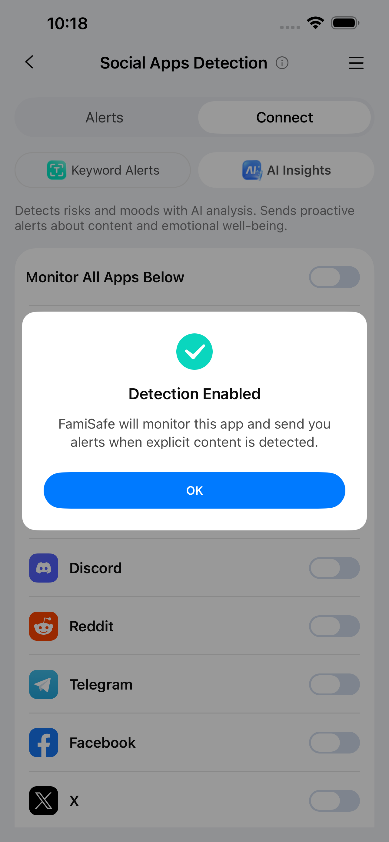
Step 3: Click "Monitor All Apps Below" to monitor all applications, or select specific apps you wish to monitor. Then click "Confirm" and "Start Monitoring" to activate FamiSafe's supervision of all selected apps. If sensitive keywords are detected during monitoring, an alert will be triggered.
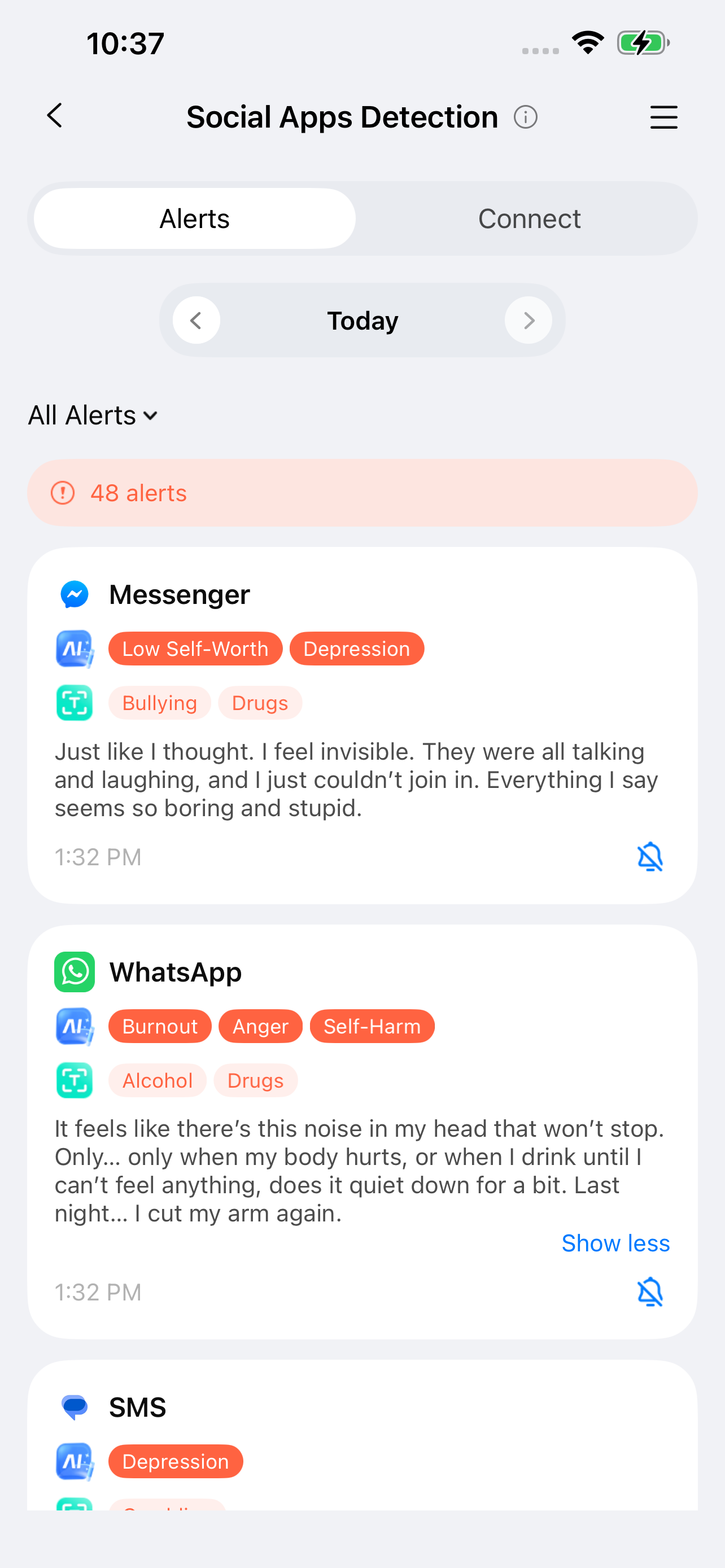
Step 4: Alerts will be sent to your phone as notifications and can be viewed in the Alerts tab.
Was This Helpful?
Thanks for your feedback.
Can you tell us what didn't work for you?
Email address is optional. Leave it blank if you do not need follow-up.
Feedback sent!