Step 1: Click the Safe Search feature.
Step 2: Toggle the switch next to Enable Safe Search to enable the feature. Note that this feature only works for certain browser applications, such as Chrome, Firefox, and Microsoft Edge.

Step 3: Under Search History, you can view the history of blocked search terms. Block or unblock a search term by clicking the icon next to it.
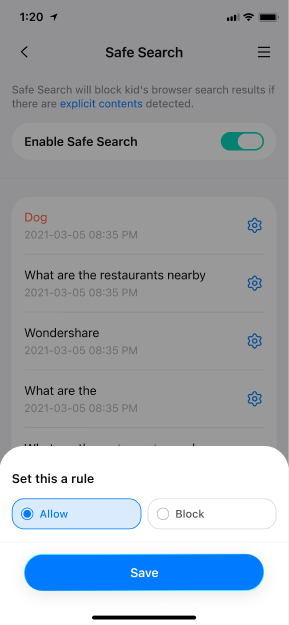
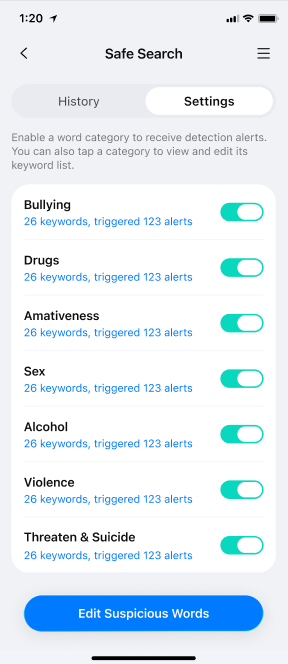
Step 4: To manage your suspicious term list, click the button at the bottom to access a page where you can view and manage the suspicious terms you want to monitor.
Was This Helpful?
Thanks for your feedback.
Can you tell us what didn't work for you?
Email address is optional. Leave it blank if you do not need follow-up.
Feedback sent!