It's available for Kid's device is an iOS The Call Kids feature is iOS-exclusive and requires both parent and child devices to be iOS. To use it, grant FamiSafe microphone access first.
How-to-Use:
Step 1: Enter the "Call & Messages" Feature
You can access the "Call & Messages" feature from the "Features" dashboard and "Phone Activity" of the sidebar on the right, where all the functions are listed.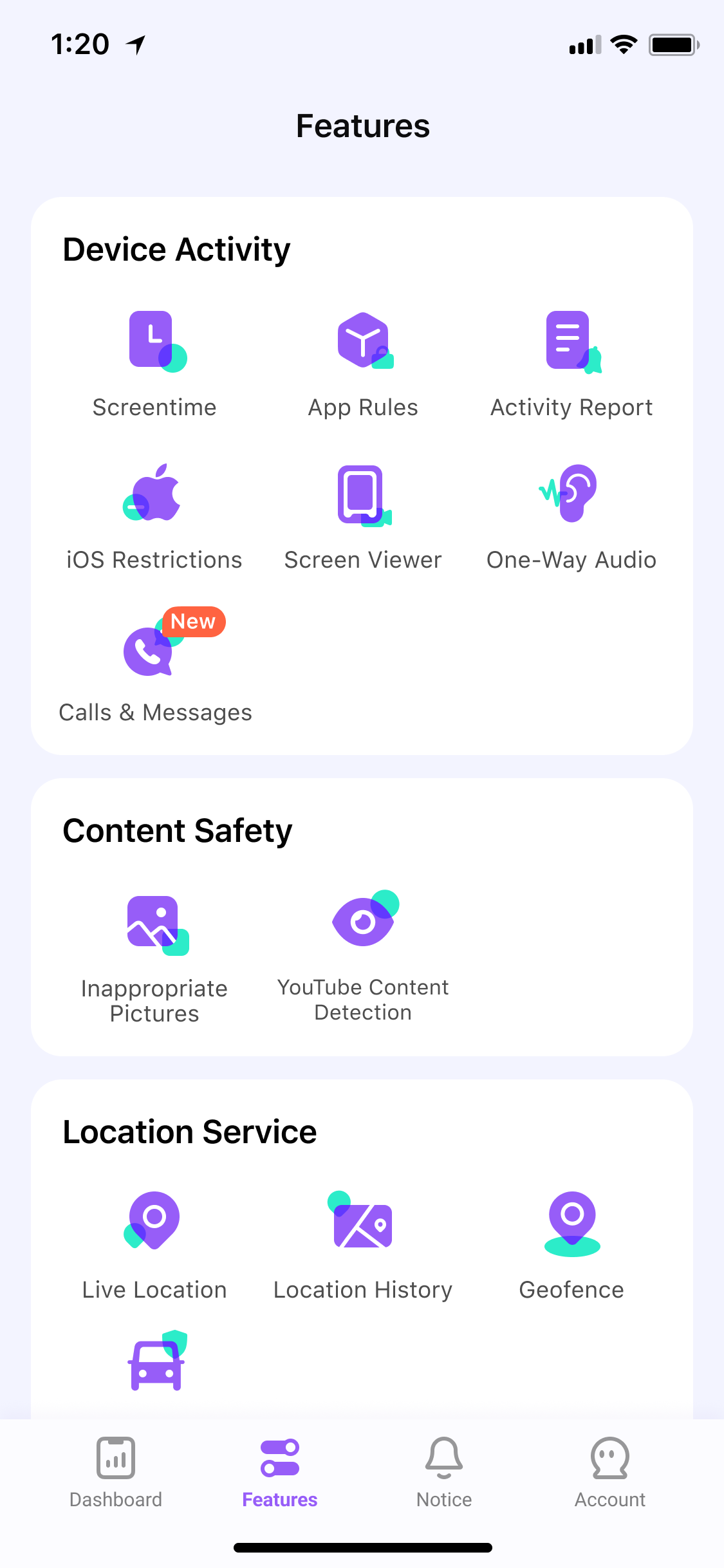
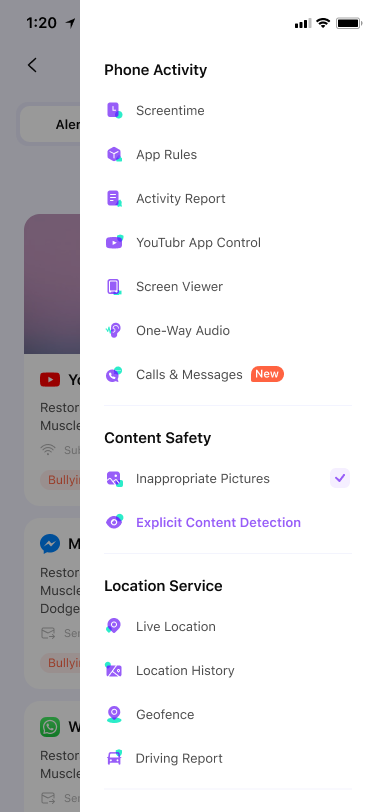
Step 2: Enable "Call & Messages" Feature
Follow the instructions on the app to enable the "Call & Messages" Feature. 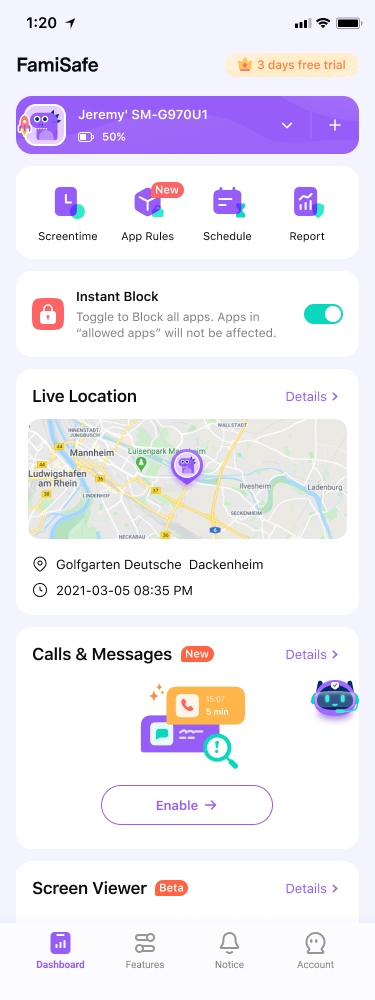
Step 3: Connect to Your Kid's Device
Connect your kid's device and see their calls and messages.
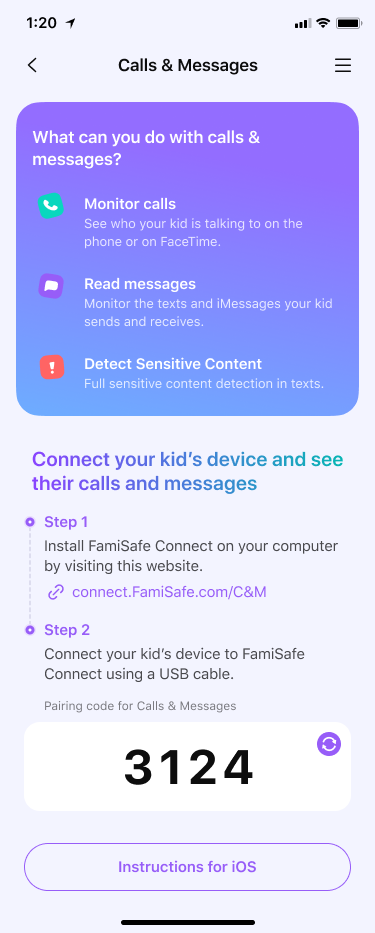
Step 4: Perform the First Backup
Perform the first backup according to the guidance provided within the app's product interface.
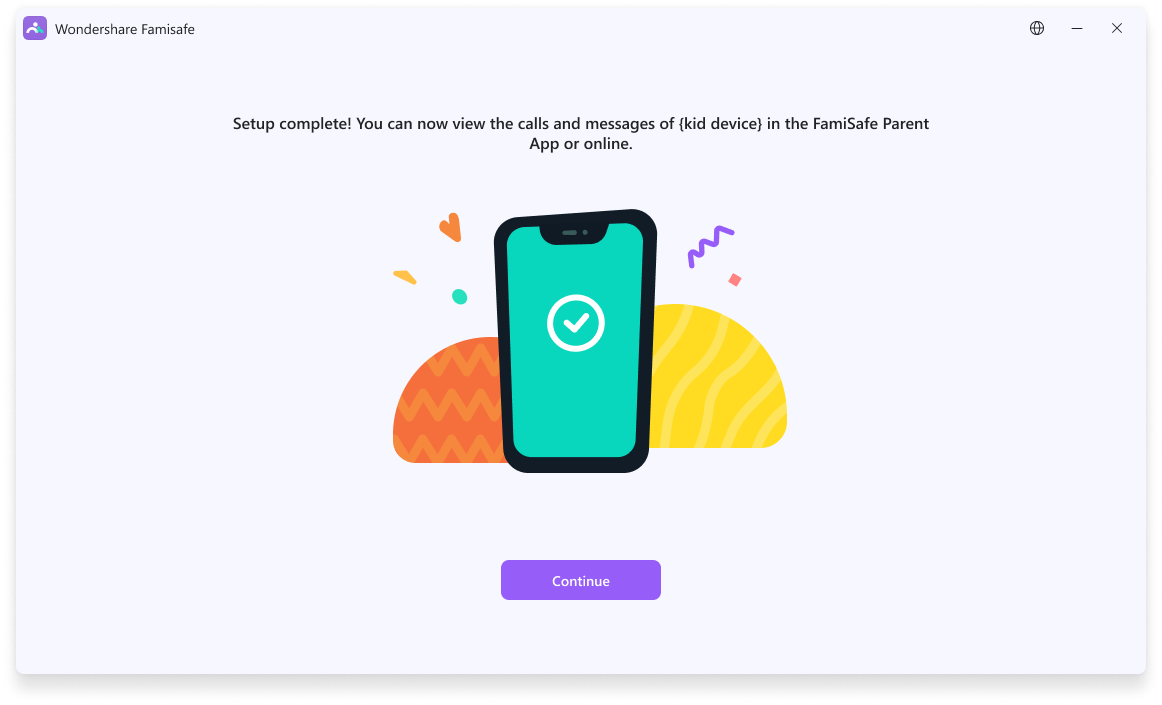
Step 5: Experience "Call & Messages" Feature
After the first backup is successful, the function will be automatically and default enabled. Users can view the contacts and communication details that have been communicated with the child on the function page.
Note: Two dimensions of data records can be displayed: 1. Calls and Texts; 2. Texts (which are relatively faster to update the records). 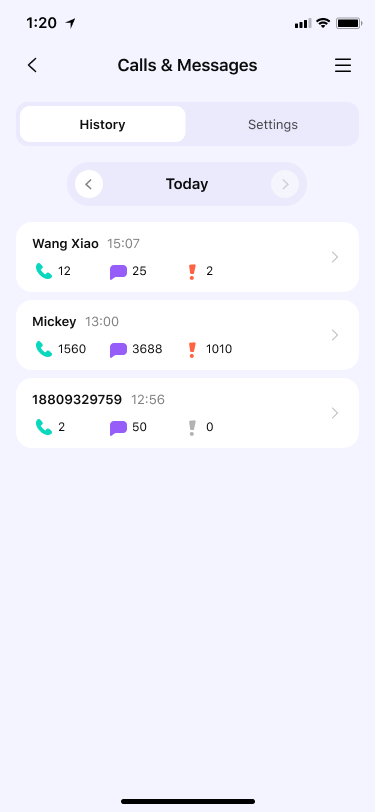
Was This Helpful?
Thanks for your feedback.
Can you tell us what didn't work for you?
Email address is optional. Leave it blank if you do not need follow-up.
Feedback sent!