Use Block All Apps to instantly block all applications. Note: Apps added to "Allowed Apps" (e.g., Phone) are exempt from this immediate block and remain accessible to children.
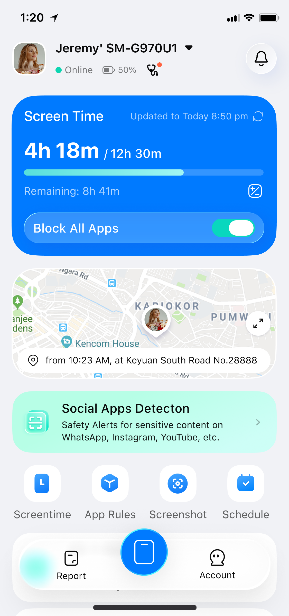
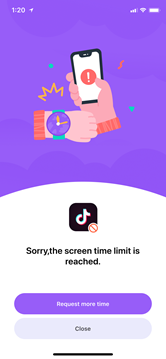
When Block All Apps is active, a screen overlay will appear when your child attempts to open an app on their phone, indicating that the app is currently locked.
Was This Helpful?
Thanks for your feedback.
Can you tell us what didn't work for you?
Email address is optional. Leave it blank if you do not need follow-up.
Feedback sent!