How to use:
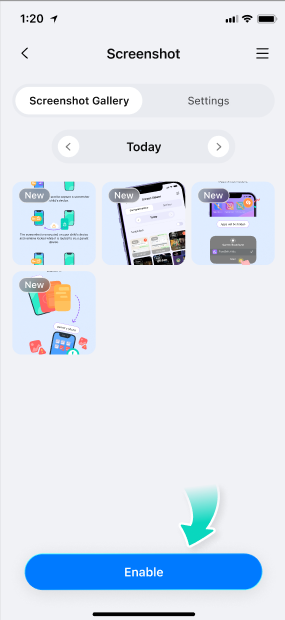
Step 1: Navigate to the Screenshot feature's internal page and toggle the switch to activate it.
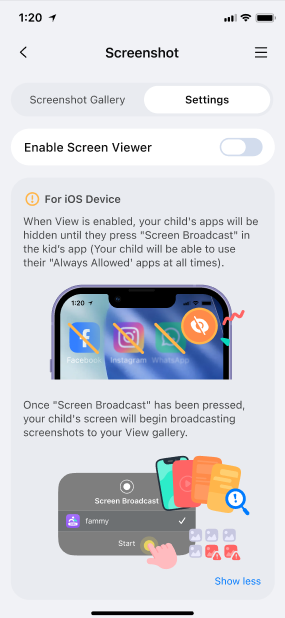
Step 2: You can choose to capture a screenshot immediately or tap "Settings" to establish a schedule for periodic screenshots. Note that screenshots can only be captured when your child's phone is in use. If the phone screen is off, the indicator showing your child's online status will appear grayed out, indicating the device is currently inactive. In this case, screenshots cannot be taken, and scheduled screenshots will not be triggered.
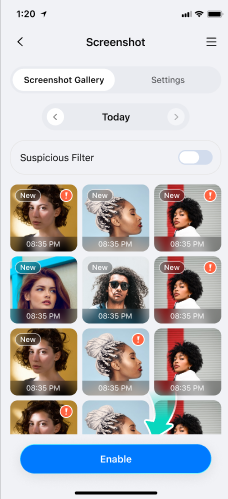
Step 3: If your child is viewing sensitive content with high skin exposure levels and it is captured by the Screen Viewer, this screenshot will be marked with an exclamation point for your reference.
Was This Helpful?
Thanks for your feedback.
Can you tell us what didn't work for you?
Email address is optional. Leave it blank if you do not need follow-up.
Feedback sent!